Accessible AI Chat Assistant: WCAG and the EAA
The EAA has applied since 28 June 2025: what an accessible AI chat assistant needs - keyboard operation, screen readers, visible focus and WCAG 2.2 AA.
In plain language
A chat on a website must be accessible too. A German law, the BFSG, asks for this. The WCAG rules set the standard. People must be able to use the whole chat with the keyboard. Screen readers must also read out new messages. A visible focus and good contrast matter too. People must be able to make the text larger. The chat must be built for this from the start.
A chat assistant on a website is an interactive control: people type, read along and navigate with the keyboard. That is exactly why it falls under the same requirements as the rest of the site, ever since the European Accessibility Act became applicable across the EU on 28 June 2025 (European Accessibility Act) and Germany transposed it through its Barrierefreiheitsstärkungsgesetz (BFSG). The law obliges many providers of digital services to make their offerings accessible. Around 90 million (European Commission) people in the EU live with a disability, and in Germany alone there are just over 7.8 million (Federal Statistical Office) people with severe disabilities. Even so, 95.9 percent (WebAIM Million) of the most visited home pages have detectable failures against the Web Content Accessibility Guidelines. A chat widget that only works with a mouse, swallows the focus or stays invisible to screen readers quickly becomes the weakest link of an otherwise compliant website. This article shows concretely what an accessible AI chat needs technically and why it matters whether it is built to WCAG criteria or bolted on as a third-party widget.

Labels in the illustration
- How can I help you today?
- Is the chat accessible?
- Yes. It is fully keyboard
- operable and screen-reader ready.
- Fully keyboard operable:
- Tab
- Enter
- Esc
- Type a message ...
- Visible focus ring when tabbing
- Benchmark: WCAG 2.2 AA
- Keyboard operation
- Reachable without a mouse
- Screen-reader support
- Semantics and ARIA roles
- Visible focus
- Focus ring with 3:1 contrast
- Contrast to AA
- Text at least 4.5:1
- Scaling up to 200%
- Zoom without text loss
- Text contrast
- 4.5:1
- AA minimum
- benchmark EN 301 549
- Building accessibly: WCAG 2.2 AA · EN 301 549 · EAA
- Full keyboard operation, screen-reader support and visible focus from day one
Why the EAA Also Covers a Chat Widget
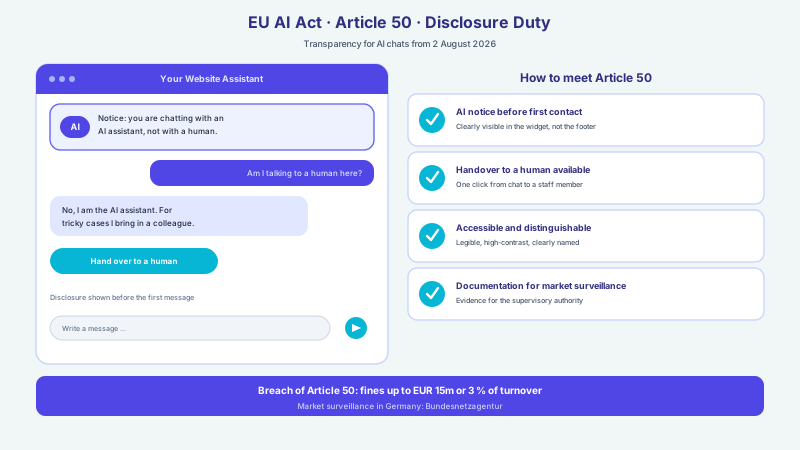
The European Accessibility Act, transposed in Germany through the Barrierefreiheitsstärkungsgesetz (BFSG), obliges providers of certain digital services to make their offerings accessible. This includes e-commerce, that is, online shops and websites through which a contract is initiated or concluded. An AI chat assistant is not an isolated extra but a control element of that offering: it takes questions, explains products and guides toward a purchase or contact. It is therefore part of the service and covered by the same requirements as the form, the cart or the navigation. Anyone who embeds a website assistant should not treat it as an island but include it in the accessibility of the whole page (Barrierefreiheitsstärkungsgesetz (BFSG)).
Not every company is affected in the same way. The law exempts micro-enterprises that provide services and have fewer than ten (Barrierefreiheitsstärkungsgesetz (BFSG)) employees as well as no more than two million euros (Barrierefreiheitsstärkungsgesetz (BFSG)) in annual turnover. For many mid-sized shops and service providers, however, the duty applies directly. In case of violations, market surveillance authorities can impose fines of up to 100,000 euros (Barrierefreiheitsstärkungsgesetz (BFSG)), and associations and competitors can assert violations. Accessibility is moreover only one of several duties around an AI chat: in parallel, data protection under the GDPR and increasingly the labelling duty under the EU AI Act apply. More important than the fear of sanctions, though, is the actual purpose: an accessible chat reaches more people and lowers barriers for everyone.
WCAG 2.2 and EN 301 549 as the Benchmark
The law itself does not describe individual test steps but refers, through European standardisation, to concrete technical requirements. The decisive one is the harmonised European standard EN 301 549, whose fulfilment triggers a so-called presumption of conformity: those who meet it are initially deemed compliant (EN 301 549). This standard in turn draws on the Web Content Accessibility Guidelines of the W3C, which form the internationally recognised benchmark for accessible web content. In its current version, WCAG 2.2 (W3C) has been an official W3C Recommendation since October 2023 and adds nine (W3C) new success criteria to the previous version, for example on the visibility of focus and the minimum size of controls.
The guidelines are organised around four core principles: perceivable, operable, understandable and robust. Applied to a chat widget this means: content and answers must be perceivable, even without image or sound; every function must be operable, even without a mouse; structure and language must remain understandable; and the technical implementation must be robust enough for assistive technologies such as screen readers to work with it reliably. For conformance level AA, which is regularly required in the legal context, the criteria of levels A and AA apply together. An assistant that meets these four principles is therefore not only formally closer to the standard but more usable for all visitors.
-
Perceivable
Answers, buttons and status messages are visible, high in contrast and detectable by screen readers, not only as pure graphics.
-
Operable
Every function of the chat can be reached and triggered by keyboard, without a mouse, without time pressure and without an inescapable keyboard trap.
-
Understandable
Language, order and labels are clear, input fields are named and error messages are phrased in a comprehensible way.
-
Robust
Semantic HTML and correct ARIA roles ensure that assistive technologies interpret the chat reliably.
Full Keyboard Operation in the Chat
The most important test for an accessible chat is simple: can everything be done with the keyboard alone? Opening the widget, selecting a suggestion, typing a message, sending it, navigating through the answers and closing the window again, all of this must be possible without a mouse. Users then operate the chat via the usual keys: Tab and Shift-Tab through the elements, Enter to send, the arrow keys through suggestions and Escape to close. If even a single step drops out because it can only be reached by click, the chat is unusable for some people.
Just as important as reachability is the order. The focus should follow a logical sequence and move into the dialog when the widget opens, so that the next input lands where the person expects it. When closing, the focus returns to the triggering element. It is also decisive that no keyboard trap arises: whoever tabs into the chat must be able to leave it again. At XICBOT the assistant is embedded so that focus management and keyboard paths are part of the implementation; how the technical integration into website and systems works is described in the respective article.
- Open and close the widget with the keyboard (Enter to open, Escape to close)
- Input field, send button and suggestions reachable by Tab in a logical order
- Send a message with Enter, without the mouse being needed
- Focus moves into the dialog on opening and returns on closing
- No keyboard trap: the chat can be left again at any time
- The focus never becomes invisible or gets stuck at any point
The keyboard test in one minute
Deliberately do not click the website, but navigate through the chat using only Tab, Enter and Escape. If you reach every function and get out again, the most important hurdle is cleared. If you get stuck somewhere or cannot see where the focus currently sits, the assistant has an accessibility problem at exactly that point.
Screen Readers and Semantic HTML with ARIA
Screen readers announce what happens on the screen, but they can only convey what is technically marked up cleanly. A chat made of nested, meaningless containers stays mute for them. That is why an accessible assistant needs semantic HTML and, where necessary, suitable ARIA roles: the input field has a label, the send button a meaningful name, the message area a recognisable role. Every control follows the principle of name, role and value, so that assistive technologies know what an element is and how it can be operated.
A chat is dynamic: answers appear gradually, suggestions pop up, a loading hint comes and goes. So that a screen reader notices these changes, new messages are announced via a live region instead of appearing silently in the DOM. This way a blind user hears that an answer has arrived, without losing the focus. The content itself must also be reliable: an assistant that ties its information closely to a checked knowledge base and does not invent freely is especially valuable for people who depend on every spoken statement. How unsupported answers can be avoided technically is shown in the article on preventing hallucinations with a knowledge base.
Visible Focus, Contrast and Scaling
Anyone who navigates with the keyboard must be able to see at all times where the focus currently sits. A visible focus indicator, that is, a clear frame around the active element, is mandatory for this. WCAG 2.2 has sharpened this point: the Focus Appearance success criterion (level AAA) requires a sufficiently large focus indicator with a contrast of at least 3:1 (W3C) between the focused and unfocused states. New is also a minimum size for controls of 24 by 24 (W3C) CSS pixels, so that buttons and suggestions do not become so small that they are hard to hit with a shaky hand or on a touchscreen.
The second large block concerns the visual design. Text must stand out sufficiently from the background, for normal body text with a contrast of at least 4.5:1. This is exactly where many sites fail: insufficient text contrast is by far the most common detectable problem and is found on 83.9 percent (WebAIM Million) of the home pages examined. It is equally important that information is not conveyed through colour alone, that text can be resized up to 200 percent (W3C) without assistive technology and without loss of content or functionality, and that animations can be reduced when a user has set this in the system. A chat that respects these points remains fully operable even under strong zoom and reduced motion.
| Aspect | Inaccessible third-party widget | XICBOT assistant built to WCAG |
|---|---|---|
| Keyboard | Only partly operable or not at all | Fully via Tab, Enter, arrow and Escape |
| Screen reader | Graphic containers without roles | Semantic HTML with name, role, value |
| New messages | Appear silently in the DOM | Announced via a live region |
| Focus | Invisible or illogical | Visible focus ring, logical order |
| Contrast and zoom | Fixed, often too pale defaults | AA contrast, scalable to 200 percent |
Built Accessible Instead of Bolted On
The market knows numerous ready-made chat building blocks that are quick to embed. Many of them, however, are optimised for looks and speed, not for accessibility, and can only be adjusted afterwards with difficulty. Blanket add-on scripts that are meant to retrofit accessibility automatically rarely solve the problem completely either, because they change little about the underlying structure. A widget built from the ground up to WCAG criteria avoids this rework. It is part of your own page structure, follows the same rules as the rest of the website and thus remains testable and maintainable.
XICBOT builds the chat assistant as an individual element of your website instead of laying a foreign window over it. Keyboard operation, focus management, semantic markup and contrast are planned in from the start and tested together with the rest of the site. This way the whole page stays compliant instead of tearing a gap at the chat. How an individually built assistant fundamentally differs from a generic kit is explored in the article on the custom assistant versus standard chatbot. When the assistant hands over to a human where needed, for example via the support assistant, that transition too stays accessible. Which features and which plan belong to this are shown by the feature overview and the pricing overview.
Accessibility is not a switch you flip later, but a property you build in from the very first line.
Checklist: Spotting an Accessible AI Chat
From the technical requirements a manageable checklist emerges that allows a chat assistant to be roughly classified. It does not replace a full conformance assessment or legal advice, but it helps to spot the most important weak points early. Anyone who meets the following points is considerably further along with the accessibility of their assistant than the average, where, according to the analysis, almost every home page still has detectable shortcomings.
- Can the entire chat be opened, operated and closed with the keyboard alone?
- Is the focus visible at all times and does it follow a logical order?
- Are the input field and buttons labelled and marked up as real controls?
- Are new messages announced for screen readers via a live region?
- Does the text reach a contrast of at least 4.5:1 and is colour not the only cue?
- Does the chat remain fully usable when enlarged to 200 percent (WCAG 2.2, success criterion 1.4.4)?
- Are animations reduced when a user has set this in the system?
- Is the assistant part of the accessible page structure rather than a bolted-on third-party widget?
For our own website we disclose how we test and where limitations remain: our accessibility statement names method, status and known gaps and can serve as a template for your own.
Frequent questions
Does an AI chat assistant really fall under the accessibility law?
In many cases yes. The law covers providers of digital services to consumers, such as online shops and websites through which a contract is initiated. A chat assistant is a control element of that offering and is covered by the same requirements as the form, the cart or the navigation. Exempt are, among others, micro-enterprises in the service sector with fewer than ten employees and no more than two million euros in annual turnover. Whether a specific offering is affected depends on the individual case; this article does not replace individual legal advice.
Which standard applies to an accessible chat?
The decisive one is the harmonised European standard EN 301 549, whose fulfilment triggers a presumption of conformity. It refers to the Web Content Accessibility Guidelines of the W3C, currently in version WCAG 2.2, which has been an official Recommendation since October 2023. In the legal context, conformance level AA is regularly required. In practice this means: full keyboard operation, screen-reader compatibility, visible focus, sufficient contrast and scalability up to 200 percent.
Must a chat widget be fully operable by keyboard?
Yes, that is one of the central requirements. Opening, selecting suggestions, typing and sending a message and closing must be possible without a mouse, via Tab, Enter, arrow keys and Escape. It is also important to have a logical focus order and that no keyboard trap arises from which one can no longer navigate out. If a step drops out because it can only be reached by click, the chat is unusable for some users.
How is a chat made accessible to screen readers?
Through semantic HTML and, where necessary, suitable ARIA roles. The input field and buttons need real labels as well as a recognisable name, role and value. Because a chat is dynamic, new messages should be announced via a live region so that a screen reader reads them out without the focus being lost. Pure graphic containers without markup, by contrast, stay mute for assistive technologies.
Is an accessibility overlay enough as a quick fix?
Blanket add-on scripts that are meant to retrofit accessibility automatically rarely solve the underlying problems completely, because they change little about the actual structure. More reliable is a chat built from the ground up to WCAG criteria that remains part of your own page structure. This way keyboard operation, focus, semantics and contrast can be tested and maintained together with the rest of the site.
What are the consequences of an inaccessible offering?
For violations, market surveillance authorities can impose fines of up to 100,000 euros, and associations and competitors can assert violations. More important than the sanction, however, is the actual benefit: an accessible chat reaches more people and lowers barriers for all. Automatic legal certainty cannot be promised, but an implementation aligned with WCAG 2.2 and EN 301 549 creates a solid foundation.
Ask it yourself, Assistant of this website
Automated assistant