1.3 s
to the first character of the answer, median
64 questions to our own assistant, not to customer projects
XICBOT builds you an AI chat assistant that truly knows your website: it reads your content, opening hours and documents, answers visitor questions in seconds, explains your services, guides visitors to the right page and captures qualified contacts.
The website assistant answers questions on your website. It knows your own content for this. It answers around the clock. It takes visitors to the right page. If something is not in your content, it names no price and no deadline. It can take down contact details. When things get personal, it is meant to hand the chat to your team.
Request a free demo View pricing
Around the clock, multilingual, GDPR compliant with hosting in Germany.
Assistant:Hello! I know our services, opening hours and service area. How can I help?
Visitor:Do you also renovate flat roofs?
Assistant:Yes, flat roof renovation is one of our services.
Visitor:Could you call me back about this?
Assistant:Gladly. I have already prepared the callback request:
Ask it yourself, Assistant of this website
Automated assistantMost visitors arrive on your website with a specific question: Do you offer this service? What does it cost roughly? When are you open? Do you cover my area? Anyone who does not find the answer within a few seconds is gone, often to a provider who responds faster. A website assistant from XICBOT closes that gap: it is trained on your own content, answers questions within seconds, guides visitors to the right page and turns an interested visitor into a qualified contact, instead of leaving them alone with a form.
1.3 s
to the first character of the answer, median
64 questions to our own assistant, not to customer projects
A website assistant is not a rigid menu tree with predefined click paths, but an AI assistant that understands your content and answers freely worded questions. It works day and night, answers within seconds and takes the same recurring questions off your team's plate. It handles the following tasks based on your own website.
It answers freely worded questions in seconds, even outside business hours, and is instructed to rely exclusively on your own website content.
Instead of letting visitors search through the menu, the assistant links directly to the relevant subpage, service or reference and briefly explains what awaits them there.
It explains your offering in plain language, distinguishes services from one another and answers typical follow-up questions about process, scope and service area.
The assistant has opening hours, directions, location and availability ready and states them in the chat, without visitors having to search the imprint or the contact page.
It turns a conversation into a structured enquiry: it pre-fills the form once the visitor confirms, asks for what is missing and hands the contact to your inbox. More on this on the lead assistant page.
proposed; the handover happens only after the visitor clickslead.created, which goes to an event receiver in the Custom packageIt recognizes the visitor's language and answers consistently with the same content, without you having to maintain your site in several languages. Details under multilingual.
data-spracheTwo things it explicitly does not do. It concludes nothing with consequences without the visitor agreeing: a writing operation first appears in the conversation as a proposal and only runs once it is clicked. And it is not meant to decide whether a piece of information holds in your individual case — where things become personal, contractual or legal, it is meant to hand over to a human instead of formulating an assessment.
24.1 KB
loader on your page, compressed
only the file that runs on the host page, measured with the compression the web server actually sends; the chat window lives in its own frame and loads only once your page has finished loading
The difference from a template chatbot lies in the basis of its answers. A standard bot guesses or produces generic phrases. The XICBOT website assistant is trained on your specific content and binds its answers to those sources. So it talks about your business, with your terms and your facts, while at the same time guiding visitors towards an enquiry or contact.
The basis is your knowledge base: all pages and subpages of your website, opening hours and locations, documents, PDFs and datasheets, FAQ and help articles as well as price lists and service descriptions. The assistant is instructed to answer bound to these sources. If it is not sure about something, it is not supposed to guess but to point to the relevant page or hand over to a human. New content can be added at any time.
A website assistant does not just answer, it moves things forward. When it recognizes a genuine buying intention or a need for advice, it asks the right follow-up questions, pre-fills the contact form once the visitor confirms and hands a structured enquiry to your inbox or, in the Custom package, to your CRM, including a callback request and the context of the conversation. This means you lose fewer enquiries to half-filled forms. Integration is done with a short code snippet in your existing website.
Binding answers to your sources is not a matter of style but part of every answer run. Every statement is meant to carry internally the number of the excerpt it came from; figures, prices and deadlines that are not in your sources are replaced with a notice, and an answer in which not a single excerpt was used is recorded as a gap. The price for that is visible: questions stay open that a freely improvising bot would have answered somehow. We make that trade deliberately, because an invented piece of information costs more than one that never came.
Intake with fixed limits
The intake is no magic trick but a run with fixed limits. The crawler starts at an address you specify, follows internal links and takes in at most 25 pages per pass. It honours robots.txt as per RFC 9309, executes no JavaScript, never leaves your own origin and pulls neither images nor PDFs out of the crawl. A page that sets itself to noindex gets no section at all. What comes out of it stays visible: source, document and section lie before you individually, not as an opaque block.
Every index run writes into a new version and only switches to it at the end. If a run breaks off, the previous state keeps answering instead of a half-filled knowledge base going into operation; a run that found nothing deletes nothing either. Five versions stay retrievable so a botched state can be taken back. Refreshing follows a deadline per source: seven days as a rule, zero standing for never, and a source counts as stale only after twice its deadline, but at least after 14 days. Storage is in Germany: sources, sections and conversation histories are held on servers in Germany. To produce an answer, the conversation and the sections found go to a specialised model provider, also outside the EU on the basis of standard contractual clauses.
42 of 48
answers carrying a source reference
questions whose answer is in the knowledge base; six carried no source reference
Visitor:Do you also provide the scaffolding for the renovation?
Assistant:There is nothing on that in the stored knowledge base.
Assistant:I will not guess here. I can hand the question to a human, with the conversation so far alongside it.
Visitor:Yes, please.
Assistant:Handed over. Your question is additionally recorded as a gap, so that it can be answered next time.
8 of 8
questions without a basis declined instead of guessed
eight questions deliberately outside the material; the wording of every answer is in the measurement file
Whether an answer carries a source hit is shown not by the assistant's tone but by whether it uses a section the search found. Both outcomes are provided for, and both leave a trace in your account. Side by side it looks like this.
If no excerpt carries the answer, the assistant usually says that nothing is on file; from the Pro package your account sees in the gap list whether it declined or the answer stayed without a source. An outage of the language model gets the stored fallback reply, so that an empty knowledge base and a broken line do not look alike.
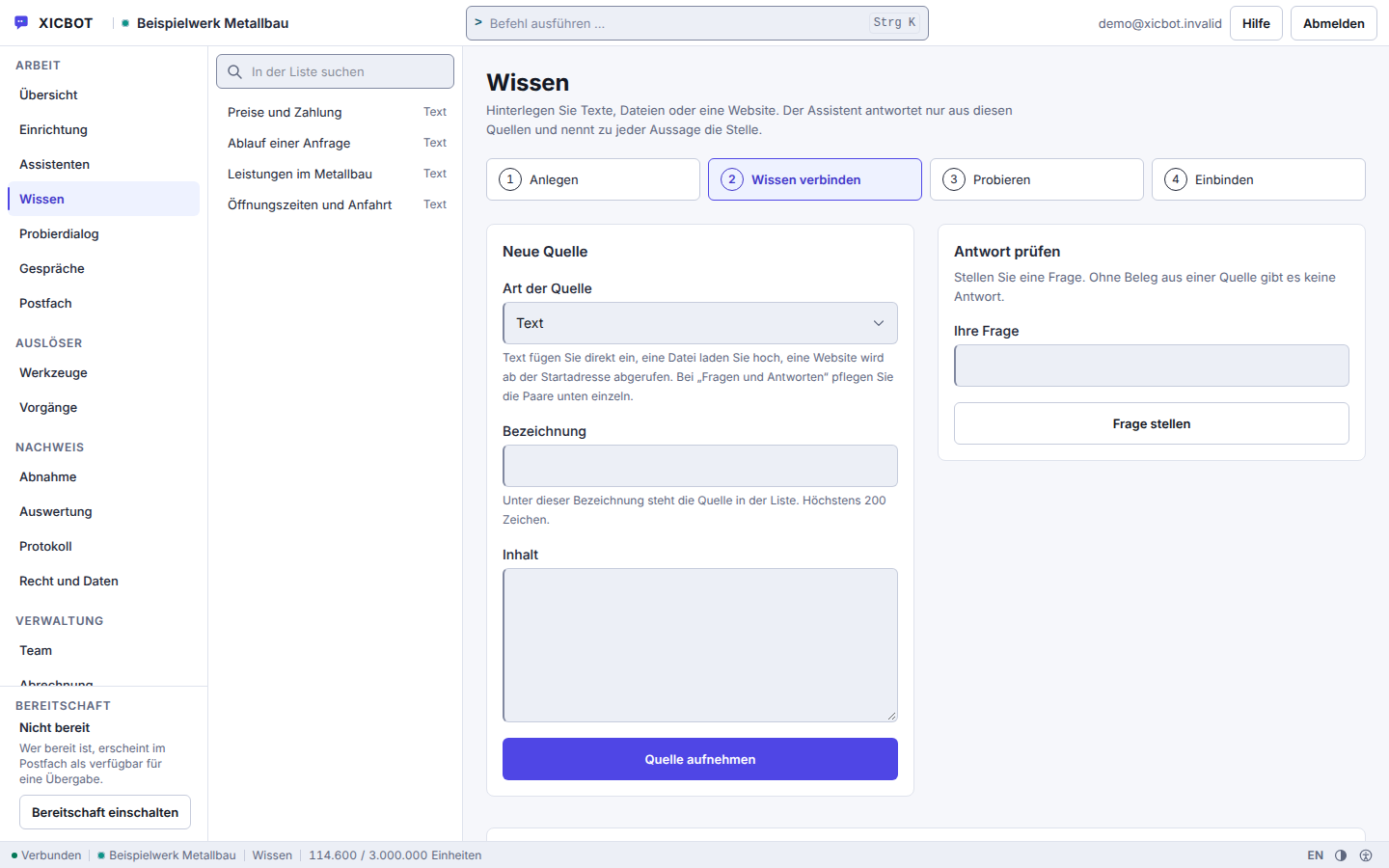
A source gets a type, a label and content; uploaded files follow the period that applies to your account.
The website sits there as a source type beside text, file and question-and-answer pair.
Before the window is switched on, the answer check puts your own questions against the state taken in.
The path to your own website assistant has six steps, and after each one you see what it has learned. You do not have to program anything, nor learn a new platform. We take in the sources, embed and operate; you decide at two points whether it goes on. At the start there is an initial consultation at no cost, on request with a test assistant on an excerpt of your site.
We clarify which questions your visitors ask most often and which of them can be answered from your content as it stands today. On request we set up a test assistant on an excerpt of your site for that, so you can measure it against your own questions before you decide.
We enter website, documents, FAQ and fixed question-and-answer pairs as sources. For the crawl we set the start address, read robots.txt and exclude what does not belong in answers, such as archives or pages marked noindex. A website without readable text ends in the state empty, instead of producing an assistant that merely sounds plausible.
Before a visitor sees the window, we put your questions against the state taken in. For every answer the check shows the section it came from, and it names the questions for which no source hit exists. What is missing we add as a source or as a fixed question-and-answer pair, before anything goes live.
Embedding is a single script tag carrying your assistant's public key and an SRI sum against which the browser checks the loaded file. It fits into any website and any common CMS and leaves your page structure untouched. Details are under integration.
A new assistant sits in draft. Only once it is set active and the window is released does it answer a visitor. Both switches are in your account, and neither of them is flipped by us in the background. If only one is set, the script loads without a window appearing.
After go-live we take over hosting in Germany, operation and upkeep. Refreshing runs by deadline: the scheduler looks daily at which sources are older than their deadline and takes them in again. When prices or opening hours change, we refresh the affected source individually instead of waiting for the next run. The questions without a source hit collect in a list that we go through with you.
Between step four and step five lies a decision nobody makes for you. The script can already sit on your page without a visitor seeing anything — that is not a fault but the built-in stop before the first conversation. Anyone who switches an assistant on without having read the answer check skips exactly the point at which a wrong state is still cheap to correct.
Two amounts, no more: setup once, operation monthly. What the setup covers depends on the number and kind of sources and on how much the website itself yields; that is why there is a from-price and not a flat rate. The monthly amount covers answering operation, refreshing the sources and the upkeep of the window on your page.
from 49 € per month net
Minimum term: none, cancellable monthly
All prices net, plus VAT Source: XICBOT price list, as of 11 September 2026
The website assistant is the Start package: setup from 990 € net, operation from 49 € per month net. Included are training on website and knowledge base, answering questions, guidance to relevant pages, lead capture, handover to a human, multilingual answers and hosting in Germany. For shop integration, product cards and conversation analytics there are the Pro and Individual packages. Before you commission anything you watch the assistant work on your own questions; the initial consultation and the test assistant cost nothing. Ongoing services are booked individually and can be cancelled monthly; there is no minimum term.
Name five questions that reach you several times a week. We train a test assistant on an excerpt of your website and show how it answers them.
The difference shows less in a single feature than in everyday practice: with the question at eleven at night, with the visitor who cannot find the right page, with the phone that rings for the same recurring information. The comparison makes clear where a website assistant provides concrete relief.
The left column is no caricature. It describes a website that has everything needed on it, only spread across a menu, subpages and a form. The assistant clears none of that away; it lays itself over the top as a shortcut and catches the cases where somebody does not want to search. Anyone who prefers to read for themselves will hardly notice it. The difference shows most clearly at the point of contact: instead of an empty form, what ends up in your inbox is a pre-filled contact confirmed by the visitor, with the request and the conversation beside it.
Many website visits now come from smartphones, where long searching and scrolling leads to abandonment particularly quickly. An assistant that answers within seconds on the smartphone and guides to the right page holds visitors at exactly the moment they have a question. In practice it also relieves phone and inbox at the same time, because recurring information no longer has to be provided by a human every time (project experience). What distinguishes the assistant from a form: it answers first and asks afterwards, not the other way around.
Honest About the Limits: the Assistant Can Err An AI assistant is a powerful tool, but not an oracle. That is why we bind its answers to your own content instead of letting it improvise, and set up a handover to a human for sensitive or unclear topics. This keeps the assistant reliable without us making impossible promises. What it does not yet know, we add to the knowledge base.
A website assistant pays off wherever visitors ask recurring questions and where information is spread across several pages. That applies to service providers, trades businesses and other local businesses, to practices, law firms and agencies just as much as to offerings that need explaining, where the path from question to the right page would otherwise be long. The effect is especially noticeable when your team receives many similar calls and emails: the assistant catches this routine, while complex cases still reach you. It replaces neither your contact form nor the phone, but complements both by answering first and then forwarding in a targeted way.
Another advantage: the assistant grows with you. When your services, prices or opening hours change, we update the knowledge base, and the answers follow the new state as soon as the source has been taken in again. If more is to be added later, such as product advice, a shopping cart or appointment requests, the assistant can be extended step by step, without starting over. Whether and how an assistant pays off for your site we assess together in the free initial consultation, without obligation and without sales pressure.
Further reading: What is an AI chat assistant? explains the basics without jargon, placing the chat widget properly covers position, timing and the right moment to speak up, and embedding an AI assistant cleanly describes the technical side of the integration.
These six questions come up in almost every initial consultation, usually in this order: first where the knowledge comes from, then what happens when there is a gap, then embedding, language and price.
We train it on your own content: your website with all subpages, opening hours and locations, documents and PDFs, FAQ as well as price lists and service descriptions. The assistant binds its answers to these sources. So it provides information about your business, with your terms, instead of producing generic phrases. On top of that comes the framework you set: role, topic limits and the rule for when it hands over to a human. Above those sit fixed barriers that cannot be switched off — no legal advice, no medical information, no invented contact details or appointments, and it does not pass itself off as a human. How the training works is explained on the knowledge base and training page.
The assistant is bound to the deposited excerpts: sourced statements carry the number of the excerpt they came from, and figures, prices and deadlines that are not in your sources are replaced with a notice. If the search finds nothing, it usually says that the deposited knowledge base holds nothing on the subject. Like an answer without a used excerpt, the case is recorded as a knowledge gap and reported outwards, so you find it again in the analytics from the Pro package and can add the missing source. On request the assistant hands over to a human, and when a topic is delicate it is meant to, in each case with transcript and responsible place. How this binding to your own content works is described under knowledge base.
Yes, that is what the lead tool type is for. It asks the follow-up questions, collects the details in the conversation and writes name, email, phone and request into your company inbox; files the visitor uploaded earlier are attached to it. The transcript comes along as context, so you can see what the conversation was about beforehand. If the record should go into a customer management system, the crm_lead adapter takes over in the Custom package — it writes and therefore requires confirmation: the visitor reads in plain text what will be handed over, and only their click triggers it. In the Custom package, the event lead.created goes out to an event receiver along with it. More under lead assistant.
You add a short snippet to the page head — one line that we deliver to you ready-made. From that moment the assistant is live, provided you have set it active and switched the widget on; those are two separate switches. On request we handle the integration for you. If you store a path on your own domain, the assistant loads first-party through it and adapts to the design of your site. Everything else, such as content or approved actions, is maintained by us without you having to touch the snippet again. Only the public key should not be swapped in passing: after that every old embed stops loading.
Yes. Language detection runs in our own code using function words and characteristic characters, with no external service and no extra model call. Word lists exist for nine languages: German, English, French, Spanish, Italian, Dutch, Polish, Portuguese and Turkish. If a sentence is not clear-cut, the field stays empty instead of guessing German. The reply comes in the language of the sentence just read, even when it changes mid-conversation. Your knowledge base is not filtered by language; language only acts as a ranking bonus, so a price list maintained in German also carries an English question. More under multilingual assistant.
The website assistant is the Start package: setup from 990 € net and operation from 49 € per month net, each plus VAT. Included are training, answering questions with a citation, guidance to relevant pages, lead capture, handover to a human, multilingual answers and hosting in Germany. The limits of the package: three seats, one assistant, ten knowledge sources, 200 documents and 500,000 tokens per month. If more is needed, Pro follows from 2,900 € net setup and 149 € per month net. All packages are listed under pricing. All services can be cancelled monthly; there is no minimum term.
If your question is missing here, it may be under frequently asked questions; the long list is there. If it stays open there too, that is no annoyance for us but the pointer to a gap we close.
Before You Send
For the first step, the address of your website and the questions that reach you several times a week are enough. If important information is not on the website but in price lists, datasheets or FAQ documents, mention those too. The test assistant needs no access to your systems; it works with an excerpt of your public pages. The initial consultation and the test run are free and without obligation.
Send us the five questions your visitors ask most often, together with the address of your website. You get back which of them can be answered from your content as it stands and which need a new source, plus the package that fits. You can reach us by phone at +49 5123 9579000.