24.1 KB
loader on your page, compressed
only the file that runs on the host page, measured with the compression the web server actually sends; the chat window lives in its own frame and loads only once your page has finished loading
What you install is exactly one script line: a script element carrying the defer attribute and your assistant’s public key.
You add exactly one line to your site. This line loads a small script. The script shows the button for the chat. The chat window only appears once your page has fully loaded. The script itself does not fetch any data from the web. On request everything runs over your own domain. Then the visitor only sees your address.
Request a free demo Call: +49 5123 9579000
Everything else happens in the visitor’s browser. The loader opens a shadow DOM on your page, draws the trigger inside it and only inserts a chat window with its own origin once your page has finished loading. The loader itself makes no network request; everything that fetches data runs inside that window. On request, delivery runs entirely over a path on your own domain — then the visitor only ever sees your address.
Visitor:Does this work in our CMS, or do we have to rebuild for it?
Assistant:Nothing changes in the CMS. What you install is one script line in the template; shell, trigger and window are only created in the visitor’s browser.
Visitor:Our content security policy is set strictly. Do we have to loosen it for this?
Assistant:Two entries are added: the loader in script-src and the chat window as a frame in frame-src, both from the address in the embed code — with your own path, that is your own domain. Your policy needs no entry for the interface, for styles or for the brand mark: the loader makes no network request, injects no stylesheet and builds the brand mark in the trigger from elements rather than an image.
Ask it yourself, Assistant of this website
Automated assistantThe integration is one line, but the line is not the whole story. What matters is what your visitor’s browser makes of it — and what it explicitly does not do. The loader is a single, self-contained file without dependencies. It opens a shell with neutralised borders on your page, attaches an open shadow DOM and draws the trigger inside it. Open rather than closed, because a closed shadow does not stop a foreign page but blocks every measurement: your audit tools are meant to see inside.
The real barrier is not that shadow but the frame with its own origin that is inserted afterwards. The six points below describe what sits in your template, in which order the browser works and where the integration deliberately refrains from doing something.
The snippet is a single script element with defer. The assistant’s public key is mandatory; depending on the delivery path, either the address of the interface or your own path is added. The admin area assembles the line server-side, you copy it.
Delivery runs either over the widget domain or over a path on your own domain that you set up and hand to us. The loader derives its base from the directory it was served from — if that base sits on your domain, the interface sits below it as well. Without a sound base nothing is built, because an empty value would hang your site’s error page into a chat window.
data-api and data-basis override it once you have set up a path of your own. data-api must point to the host the delivery path allows for the interface — otherwise the chat stays unreachableThe loader waits for your page to finish loading and then for one more tick before it inserts the window. The reason sits next to it in the source: any earlier and it would be an extra request in the critical path of someone else’s page. If a consent gate is in place and no consent has been given, nothing happens of its own accord even then; the frame is then only built by an action of the visitor, such as pressing the trigger.
The chat window runs in a frame with exactly one permission: scripts. The same-origin permission is deliberately missing and must never be added, because together with scripts it lifts the sandbox again. The consequence is the separation this is all about: your page cannot read the window, and the window cannot read your page.
Your policy needs two entries: script-src for the loader and frame-src for the chat window, both with the address from the embed code — with your own path, that is your own domain. Three further directives remain untouched, and each has a reason in the source.
The bulk of the appearance comes from the assistant’s server configuration, every field with a validated range. Three values are read off your page by the loader — font, corner radius and brand colour — because inside the sandbox the frame sees nothing of your page and can inherit nothing. The window steps aside from banners and bars instead of covering them.
Two things the integration does not bring along. Without JavaScript nothing appears — shell, trigger and frame are created entirely in the loader, and there is no fallback path; a noscript element does not occur anywhere in the tree. And the widget does not ship a consent banner: it knows one gate and three handles — consent, revoke, read the state — which your existing banner has to operate. If a handle of that kind already sits on your page, it stays.
24.1 KB
loader on your page, compressed
only the file that runs on the host page, measured with the compression the web server actually sends; the chat window lives in its own frame and loads only once your page has finished loading
The order is the reason why the integration does not slow a foreign page down. It is fixed in the source and can be looked up; here it is written out as a sequence, exactly as it runs on every view of your page.
The defer attribute ensures the script does not hold up the construction of your page. What is loaded is a single file without dependencies.
It reads the currently executing script, falling back to the element carrying the key attribute, and derives its base from it: the directory the file came from, not merely its origin. Only the two web schemes are accepted; without a sound base it stops.
A fixed-position shell with neutralised margin, border, background and colour is created on your page, with an open shadow DOM inside it. Every property is set individually on the element so that your policy has nothing to block.
The brand mark in the trigger is built from elements rather than an image, because an image would require another directive in your policy. If a stored image fails, the drawn shapes remain.
After your page has finished loading and one further tick, the frame is inserted: one permission for scripts, none for same origin, no referrer outwards. The start parameters travel in the address fragment and reach no server. If a consent gate stands without consent, this step is skipped until the visitor acts, for instance by pressing the trigger.
The frame loads two parts, both with version names derived from their content, with a checksum and with the attribute stating that they are loaded cross-origin. Only here does anything fetch data at all; the loader on your page never does. If the server reports that the assistant does not exist — switched off, paused or unknown —, the frame tells the loader, and the loader hides the trigger. If the server is merely unreachable or busy, the trigger stays and the frame tries again after a wait.
The loader probes nine points for fixed, visible surfaces, looking into every open shadow as it goes, and leaves twelve pixels of clearance. A surface covering more than four fifths of the window height counts as a wall: then it retreats instead of shifting. Recalculation is throttled and additionally triggered by any change to style, class or visibility of the root element.
Three things stand out in this order. The loader makes no network call of its own — traffic starts inside the frame. The frame is granted permission for scripts but none for the same origin; its origin therefore reports as null. And the clearance is recomputed rather than set: twelve pixels to the nearest fixed surface, probed at nine points and into every open shadow root.
What does not happen at this point is just as much part of the order: your page gets no extra request in the critical path, and with a consent gate in place and no consent given it stays at the trigger — no frame, no further loading, no conversation, until the visitor acts.
The line in your template is inserted once and never touched again. Everything that changes later — appearance, language, permissions, the assistant itself — sits in its configuration and reaches your page without a further step. To keep that dependable without maintenance on your side, the two parts of the window hang on version names and checksums.
New versions reach your page without any action: your snippet stays the same, the two parts of the window carry names derived from their content. Under such a name there is never different content.
Everything concerning the assistant hangs on its configuration, not on your template. That includes the way back: you stop delivery without removing the snippet from the template.
One assurance is deliberately missing here. The embed snippet carries no checksum: it would sit on the entry name, whose content changes with every version, and the next delivery would lock out every site that had installed it. The admin area shows the checksum of the delivered file and names the reason when the file cannot be read — the assurance itself sits one level down, on the two parts of the window. A second limit belongs beside it: the statement about which host the widget loaded on is a claim made by the other side. The frame reports no nameable origin, so the server validates a value the counterpart asserts itself.
12 requests per minute
cap per visitor on the public widget interface
applies per visitor and assistant; that allows one question every 5 seconds, and the series waits 5.5 seconds to keep clear of our own brake
Every assistant carries a public key; the admin area assembles the snippet from it.
A second presence needs a second assistant — only one widget ever loads on a page.
What the installation consumes is counted in the same view: the current month’s allowance sits beside it.
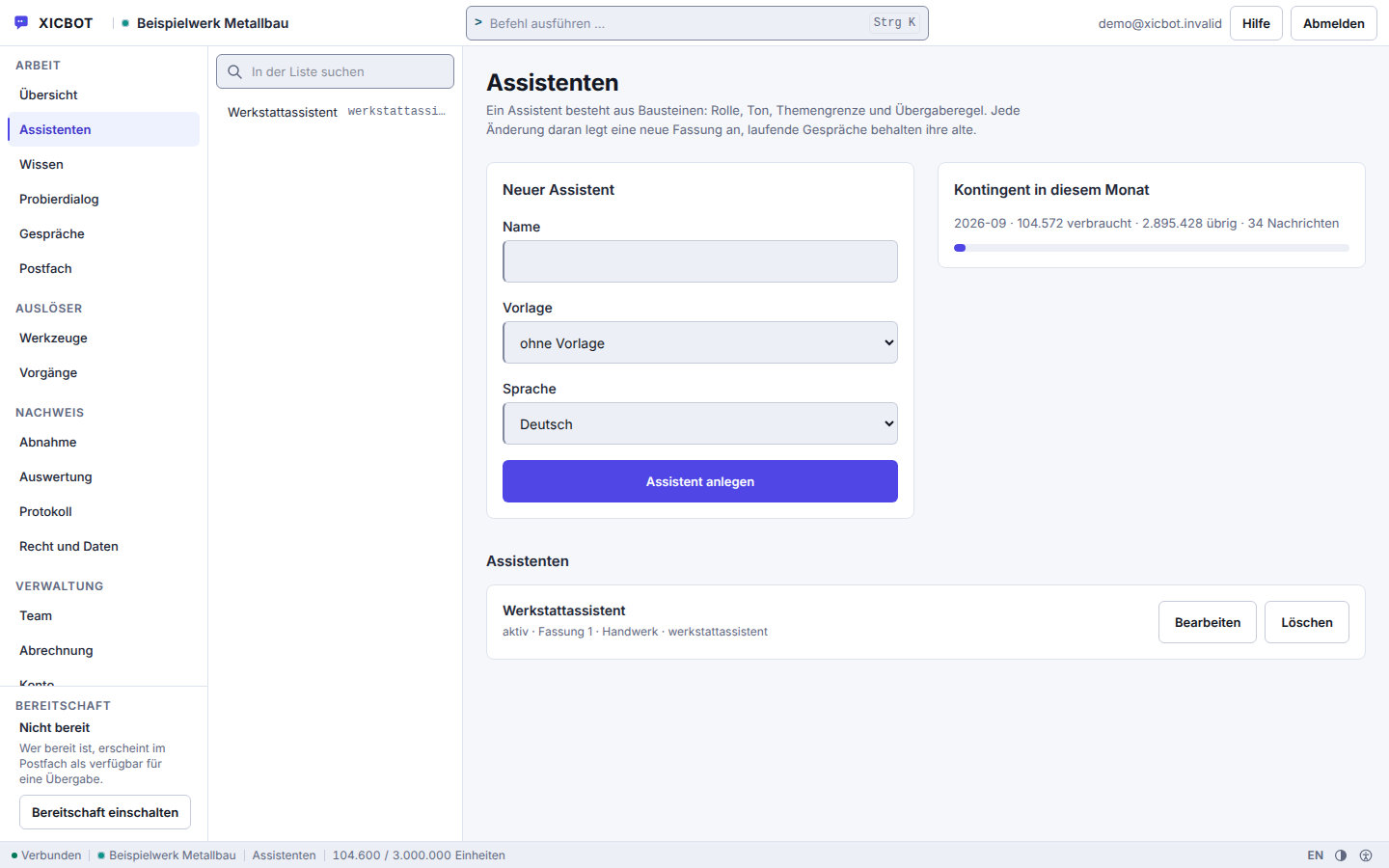
Inserting the line takes a moment; before it lie four steps in which it is decided what the assistant knows and when it answers at all. You keep both switches in your hand: nothing is activated by us.
Which system delivers the template, where does the line belong, how strictly is your content security policy set, and should delivery run over a path on your own domain? We clarify that before anything is set up — on request with a test assistant for your site.
The setup assistant reads your website and proposes statements; each carries the address it stands on, and anything without one is removed before it is shown. If the pass finds no readable text, it ends with exactly that statement rather than with an assistant that sounds plausible.
A newly created assistant is a draft. It only answers once you set it active and switch the widget on. Until then you can try it out inside your account without anything appearing on your site.
You copy the snippet from the admin area into your template, or we insert it. If you store your own path, the admin area issues a second snippet pointing at that path; the first one is then no longer needed.
The admin area records when and on which host the widget last appeared. If nothing is there, it has never loaded — that is the first place where an installation in the wrong template shows up, and the first one we look at together.
The last step is the one most easily skipped. The administration records when and on which host the widget last appeared. If nothing is recorded there, it was never loaded — an integration therefore does not count as finished because the snippet sits in the template, but because that line carries a timestamp.
Nothing is unlocked by us in the process. The operator branch of the interface knows status, notices, jobs and tenant administration — but no switch that makes your assistant answer. The two switches for that sit in your account: the assistant set active, the widget switched on.
The integration itself is the same line on every tier. What differs between tiers is not the embedding but what the assistant is allowed to do afterwards: answer only, or also read and write in your systems.
One point costs nothing extra on any tier because it is not a setting: the widget's version changes via the file name. You do not touch your template again for it, and an older version stays reachable under its name.
from 49 € per month net
Minimum term: none, cancellable monthly
All prices net, plus VAT Source: XICBOT price list, as of 11 September 2026
Pricing model: a one-off setup from 990 € net (individual training and integration) plus monthly operation from 49 € per month net (hosting in Germany, maintenance, updates, GDPR). The Pro package with shop connection, product cards and cart starts from 149 € per month net, individual tool and API control starts at a setup from 4,900 € net. You will find all packages under pricing. Before the first quote we look at your site: which system delivers the template, how strictly your content policy is set and whether delivery should run over a path on your own domain. That initial conversation and the demo alongside it are free of charge. Ongoing services are booked individually and can be cancelled monthly; there is no minimum term.
Name your system — CMS, shop or a custom application. We check the integration, clarify delivery over your own domain and tell you the effort involved.
First-party means two things here, and the two levels are easily confused. The first is delivery: from which address does the browser load the file? That is your choice. The second is the chat window itself: it always runs in its own origin, because that is exactly where the separation between your page and the conversation sits. Treating the two as one promises either too much or too little.
Compared with a ready-made third-party widget, the difference lies less in the chat window than in its surroundings. Such a widget often loads from its provider’s domain and brings that provider’s look with it. Here a single file without dependencies loads, on request over a path on your own domain; the window adopts the font, corner radius and brand colour of your page and answers from your own sources. What the assistant may do beyond that, such as showing products or handing enquiries to your team, is set by the approvals in your package and not by the line.
The path over your own domain costs a server configuration and in return leaves a single address in the visitor’s network log. Which of the two suits you depends mostly on who maintains your server — we look at that before you commit. Where the data is processed afterwards is set out under privacy and hosting.
Whether consent must precede the conversation is decided by the operator of the embedding site — and that is not us but you: the disclosure shown to the visitor names you as the controller. The widget does not bring a banner for it. It knows one gate and three handles which your existing banner operates. What changes with the gate is set out side by side here.
Two points apply to both columns. The notice that a machine is answering comes from the server and cannot be removed by the embedding page. And not a single message sits in your page’s storage: what is there are three entries with an expiry, cleared on read once it has passed — plus, only when a form on another page is to be filled in, a handoff in session storage that is valid for two minutes and disappears on first read. If storage fails or is blocked, every page view starts over — recorded in the source as a limitation, not as a fault.
The handle window.xicbot.widerrufen() clears more than the consent. It immediately withdraws any planned proactive message together with its speech bubble and the form handoff to the next page, and asks the frame to revoke the running conversation with the service the same way the button in the window does; the loader itself makes no network call. After the acknowledgement — at the latest after about five seconds — conversation id, visit marker and frame go. It returns a Promise: true if the service recorded the revocation, otherwise false, for instance because there was no conversation, the conversation ran without in-window consent or no answer came. The cleanup happens either way.
The technical details are described in embedding an AI assistant cleanly in website and shop. Where the widget should sit and when a proactive message makes sense is covered in placing the chat widget properly; the accessibility requirements are summarised in accessible AI chat assistant.
Admitted limits
These points are here because sooner or later they surface in an integration. They are taken from the source as it stands and have not been argued away.
Operator:What happens to our site if something on your side fails?
Assistant:Your site keeps being delivered. The loader only builds the window after the page has loaded and never calls the network itself — if the service stays away, the assistant is missing, nothing else.
Operator:And if we want to switch it off ourselves for maintenance?
Assistant:Then you pause delivery in the admin area; the line stays in your template. To the visitor’s browser a paused assistant looks exactly like an unknown one.
The first questions in an integration conversation are about effort and system boundaries, the last ones about operation: what happens to my site if something on your side fails, and how do I get rid of the assistant quickly if I have to?
You add a short snippet to the page head — one line that we deliver to you ready-made. From that moment the assistant is live, provided you have set it active and switched the widget on; those are two separate switches. On request we handle the integration for you. If you store a path on your own domain, the assistant loads first-party through it and adapts to the design of your site. Everything else, such as content or approved actions, is maintained by us without you having to touch the snippet again. Only the public key should not be swapped in passing: after that every old embed stops loading.
As a rule, yes. The integration is a single script line in the head or the theme; the loader is a self-contained file that triggers no network call of its own and pushes no stylesheet into your page. Because every property is set individually, even a strict content security policy needs no additional permissions for styles, connections or images. From your page the script reads exactly three values: font, corner radius and brand colour. Which hosts may load the widget is a list you maintain; if it stays empty, any host is allowed. Without JavaScript nothing appears, and there is no fallback route. More under integration.
It deliberately stays out of the critical path. The loader is a single self-contained file of 55905 bytes that triggers no network call of its own; the trigger and the frame are only built after your page has fully loaded, plus one further tick. No stylesheet is pushed into your page: every property is set individually, which is why even a strict content security policy needs no additional permissions for styles, connections or images. The chat itself runs in its own origin, not inside your document. The versioned parts carry a name derived from their content together with an integrity check and stay in the cache immutable for one year.
First-party means the assistant is delivered over your own domain rather than over a third party’s domain: you pass through a path on your domain, the embedding script comes from there, and your domain sets the headers. The conversation frame itself remains a separate origin — it runs sealed off and without access to your page, and the message path between page and frame carries commands, the conversation ID and, after the visitor confirms, the values for a form on your page. The conversation ID is enough to retrieve the history, so scripts on your page have access to it in principle. For you that means one route outward less and control over what your domain delivers. How we handle data processing, data processing agreements and hosting in Germany is explained under privacy and hosting.
Within limits, and in a way you can follow: the loader reads exactly three values from your page — typeface, corner radius and brand tone — and adopts them into its presentation. Everything else comes from the assistant’s configuration and from the attributes on the embedding script, not from your stylesheet. If the loader finds none of these on your page, the frame’s default values apply. Because the assistant runs in a sealed-off area, your styles and its own cannot disturb one another: it looks like part of your presence without touching your layout. We fine-tune the presentation together with you during setup.
No. You can insert the snippet yourself because it is deliberately kept simple: a single script line with a data attribute, loaded deferred, with nothing else on your page changing. The loader builds its own sealed-off area, so your styles and the assistant’s cannot disturb one another. Or we handle the integration entirely for you — both are part of the setup. Operation starts in the Start package from 49 € per month net with a setup from 990 € net; you will find all packages under pricing. We clarify the right scope with no obligation in the free initial consultation. All services can be cancelled monthly; there is no minimum term.
As a rule, no. The widget does not sit in your page's critical path. The loader is a single self-contained file that triggers no network call of its own; the frame is only built after your page has fully loaded, plus one further tick, in its own origin with no access to your document. If the service fails, the assistant is missing while your page is delivered unchanged; the frame then shows a plain sentence instead of an error code. Nine parts are measured — database, cache, storage, queue, scheduler, daemon, outgoing mail, model access and schema. Anything other than operational is answered by the public status endpoint with 503. The current state comes from that endpoint; the status page explains what it reports.
Yes. In the Assistants area you can pause delivery without removing the snippet from the template. That is the fastest route if the assistant should not appear on the page. A paused assistant behaves outwardly like an unknown or switched-off one: the response is the same in all three cases, so nothing about your key can be read from it. Without the script your page stays unchanged — the assistant sits in its own area and does not interfere with your layout. You use the same switch the other way round during setup: a newly created assistant is a draft and only answers once you set it active.
If your question is not here, it is usually the more interesting one. Tell us the address of your site and the system that delivers the template — we will check rather than guess. The answers are collected under frequent questions, the steps in the interface in the documentation.
Free Demo and Consultation
We look at your template, tell you where the line belongs and whether delivery over a path on your own domain is worth it for you. On request with a test assistant for your own site. Request a Free Demo
Tell us your website address and your system — website builder, CMS or shop. We will show you how the assistant can be embedded with a snippet and, on request, set up a free demo for your site. You can reach us by phone at +49 5123 9579000.