No order confirmation received: handling a typical post-purchase question in chat
How an assistant answers the question about a missing order confirmation from a maintained answer and passes open cases to your team with email address and order time.
In plain language
Sometimes the email that confirms an order does not arrive. Then the customer asks in the chat.
The assistant names the usual reasons. The email may be in the spam folder. The address may have a typo. Or the payment was not finished.
If that does not help, it asks for the email and the time of the order and passes both to your team. Without access to your orders it gives no order data, and it does not know who is writing.
In a sales week the number of orders rises, and with it a message that is typical in customer service: “I placed an order but got nothing.” What is usually meant is not the goods but the email confirming that the order has arrived. Without it, the customer does not know whether the order went through, whether the payment worked and whether it would be safer to order again. The typical causes are quickly explained: a spam folder, a typo in the address, a payment step that was not completed. This article shows how an assistant explains these causes from a maintained answer, when it hands the case to your team with the email address and the order time, and why, without a connection, it gives out no order data.

Labels in the illustration
- No confirmation
- Asked after buying
- Spam not checked yet?
- Junk, filters, subfolders
- yes
- Answer from knowledge base
- Name sender and subject line
- nothing found: handover
- Typo suspected?
- Spelling when ordering
- yes
- Handover to the team
- with email address and order time
- Payment step unclear?
- Return from the payment page
- yes
- Answer from knowledge base
- Explain the last order step
- money taken: handover
- Longer than usual?
- Time since the order
- yes
- Handover to the team
- with email address and order time
- Not in the chat
- no order data
- without connection
- no check of
- who is writing
- no resending
- of the email
- no change to
- the address
- maintained answer
- handover by email to your team
- Order status only in the Custom package, via a connection, by default after the customer confirms
Why the question comes after the purchase
For the customer, an order confirmation is the proof that the purchase has arrived. If it does not come, an uncertainty arises that has nothing to do with the goods yet: did the order reach the shop? Was money taken without an order existing? Should one order again while the item is still on offer? In quiet weeks this question turns up in the inbox now and then. In sales weeks it arrives in bulk, because more people order within a short time, some of them for the first time in this shop, with an email address typed in a hurry, and with payment methods that lead to another site and back again. For customer service the message is awkward because it mixes two different cases. In one, the email is sitting where the customer has not looked, or it went to a misspelt address. In the other, the order never came about, or the shop’s email dispatch has a problem. The first case can be explained in the chat. The second needs someone who can look up the order in the shop.
This article deals with the missing confirmation immediately after the purchase. How an assistant answers the later question of where an order that has already shipped has got to is covered in Where is my order?. If it is not the shop’s email that is missing but an enquiry from the chat itself that did not arrive, the subject is the states and logs of an action; that is described in the article on failed enquiries in the chat. Without a connection of its own, the assistant sees neither your orders nor your shop’s outgoing mail. It therefore does not know whether an order came in, whether an email was sent or whether it could be delivered. What it says about this case comes from your knowledge base and from what the customer writes.
What the law requires for the confirmation
In online retail, sending a confirmation is not optional. Section 312i BGB, the German Civil Code, sets out the general duties in electronic commerce, meaning contracts for whose conclusion a trader uses a digital service, typically an online shop. Among the four duties in subsection (1) sentence 1, number 3 states that the trader has
to confirm receipt of the customer’s order without undue delay by electronic means
What is confirmed is the receipt of the order, not automatically the contract. Whether an email with the subject line “Your order” also declares acceptance or merely reports receipt depends on its wording; some shops split the two into a receipt email and a later order confirmation, others combine them in one email. For distance contracts with consumers a second duty applies: under Section 312f (2) BGB, the trader has to provide the consumer with a confirmation of the contract that reproduces its content “within a reasonable period after conclusion of the contract, but at the latest on delivery of the goods”, on a durable medium. When a customer asks about “the confirmation”, they may therefore mean two different emails.
Section 312i does not say in minutes how fast “without undue delay” is. The BGB describes the term elsewhere, in Section 121 (1) sentence 1, as “without culpable delay”. For the question of when the order and the confirmation count as received, Section 312i (1) contains a rule of its own in sentence 2:
The order and the acknowledgement of receipt within the meaning of sentence 1 no. 3 are deemed to have been received when the parties for whom they are intended can retrieve them under normal circumstances.
For the chat, this does not mean legal advice but a division of roles. Whether an email that landed in the spam folder was retrievable within the meaning of Section 312i, whether the shop confirmed in time and whether a contract came about are not for the assistant to judge. It explains how your shop confirms orders, where the customer can look and who takes care of the case. With business customers, other rules may also apply: under Section 312i (2) sentence 2 BGB, numbers 1 to 3 and sentence 2 do not apply where contracting parties who are not consumers agree otherwise. If your knowledge base contains a sentence such as “The purchase contract is concluded with the order confirmation”, the assistant repeats it, even if your email in fact only reports receipt. Check therefore whether your terms and conditions, email templates and FAQs say the same thing; how a wording is to be assessed legally is a matter for professional advice in the individual case.
Four causes that can be explained in the chat
The causes that can be explained without looking into the shop lie in four places. The assistant cannot check any of them itself. It can, however, describe where the customer should look and tell from the reply whether the explanation is enough or whether the case belongs with the team. The table shows the four places in the order in which a maintained answer can work through them.
| Place | What the customer checks | What the assistant says | When it is handed over |
|---|---|---|---|
| Spam or promotions folder | Spam folder, promotions and sorting folders of the mailbox, a search for your sender name | Names the sender and subject line of your order email as they appear in the knowledge base | If a search for the sender finds nothing either |
| Spelling of the email address | The address in the payment provider’s confirmation or in the customer account | Explains that only your team can correct a misspelt address in the order | As soon as the customer suspects a typo |
| Payment not completed | Whether they were taken back to the shop after paying and saw a completion page | Describes the last step of your checkout and advises against a second order | If money was taken but no order has been confirmed |
| Time of the enquiry | How long ago the order was placed | States when your order email usually arrives, provided this is in the knowledge base | If that usual time has clearly passed |
With the spam folder, a concrete detail helps more than the general advice to “check your spam as well”. If the knowledge base states the sender name and subject line under which your order email is sent, the assistant can name exactly those, and the customer finds the email through the search in their mailbox, even if a filter has sorted it into a subfolder. With the email address, the cause lies before the purchase. Section 312i (1) sentence 1 no. 1 BGB requires the shop to provide technical means “with whose help the customer can identify and correct input errors before placing the order”; a summary page before the order button that shows the address once more can be such a point. Once the order has been sent with a typo, only your team can correct the address in the order and send the confirmation again.
The third case is the most delicate. With payment methods that lead to the payment provider’s page and back again, the order can fail on the way back: the customer closes the window too early, the connection drops or the payment is declined. Depending on the shop, either no order is created at all or an order with an open payment. In both cases the customer sees the same thing, namely no email. What happens in your shop in this case and how the customer can tell that a purchase has been completed belongs in the maintained answer. How an assistant answers questions about payment methods before paying is described in the article on payment methods in the chat.
The maintained answer as a question-and-answer pair
For a question that comes many times a day during a sales week, freely worded text from the language model is not the right basis. In XICBOT the answer can be kept as a question-and-answer pair in the knowledge base. Such a pair is not split up, not reworded and not searched: its wording goes out unchanged, and when the pair matches, the answer is produced without a model call. A pair without answer text is switched off. Several phrasings of the question can be stored per pair, so that the same answer applies even when the customer asks differently, for example like this:
- “I didn’t get an order confirmation.”
- “No email came after I bought something.”
- “Did my order even arrive?”
- “I paid but never got a confirmation.”
- “Where is my order confirmation?”
The text itself is best arranged in the order in which the customer can check things. First comes a sentence that puts the situation in context without promising anything. Then follow the sender name and subject line of the order email with a pointer to the spam and promotions folders, then the request to check the spelling of the address in the payment confirmation or the customer account, and the description of the last step of the checkout. At the end comes the offer to pass the case to the team. Because the pair goes out word for word, each of these sentences appears in the chat exactly as you wrote it. That has a flip side: if the sender name of your order email changes, the answer only changes once someone updates the pair.
Your sentences, not the model’s
With a question that causes uncertainty after a purchase, every word counts. When a question-and-answer pair matches, the customer reads exactly the explanation your team has agreed on, with your sender name, your folders and your process.
Not every message matches a pair. If someone asks about something that is neither in the pair nor in the other material, such as the number of a particular order, the assistant should say so instead of inventing something. In our own measurement series, 8 of 8 (XICBOT, own measurement series of 11 September 2026) questions without a basis were declined instead of guessed; measured on a single assistant on our own knowledge base, not on customer projects. Where answers are missing is shown by conversation analytics, which is included from the Pro package: answers without a source reference appear there as knowledge gaps; you close such a gap by creating a pair under Knowledge.
Handover with email address and order time
If the confirmation is still missing despite the hints, the case needs a person who can look into the shop. So that this person does not have to write back, the assistant asks for a few details beforehand. Which ones, you set in its instruction. Two are central for this case: the email address used for the order and the approximate order time. With both, your team can usually find the order even if the customer has no order number, and it can see whether the address contains a typo.
| Detail | What it is for | What the assistant does not ask for |
|---|---|---|
| Email address of the order | Matches the case to an order and reveals a possible typo | Password or login details for the customer account |
| Approximate order time | Narrows the search in the shop to a time window | Bank details or card number |
| Payment method | Shows whether a payment provider was involved and where to look | Bank statements or payment receipts with full account details |
| Contact channel for the reply | Determines how the team replies if the email address is wrong | Further personal details that the case does not need |
XICBOT offers three routes for passing the case on. If the assistant proposes one of them, nothing is written until the customer has confirmed. With an enquiry to the inbox, the assistant shows in plain text in the chat window what will be passed on: name, email, phone and the matter; order time and payment method are part of the matter. With a handover to a person, the conversation is set to escalated, an entry is created and your team is notified; the handover goes by email, with the full history and the contact details, to an address on file. A ticket in your own ticketing system is created through a connection in the Custom package and, as a writing action, is likewise tied to the confirmation. How these routes are secured is described on the page on tool control.
During a sales week some customers write twice because the first answer took too long for them. A second handover in the same conversation with the same details does not trigger a second notification; the lock sits in the database. Which unit receives a handover is decided by your routing rules. They look for their keywords in the reason for the handover and in the title of the conversation, for this case for example “confirmation”, “no email” or “got nothing”. Without a matching rule, the handover stays without a unit and stands out in the inbox instead of quietly landing with the wrong person. How a handover should be structured in general is described in the article on handover to staff.
No order data without a check
This is where the most important limit lies. The assistant does not know who is writing. An email address that someone gives in the chat does not prove that the mailbox belongs to them, and an order number is a detail, not an ID document. XICBOT has no identity check before information about a customer account. Without a connection the assistant gives out no order data: no delivery address, no items, no payment status, and not even the information whether an order exists under a particular address at all. The template for online shops also instructs it not to give information about a specific order without a verified match; that is not a technical block but an instruction to the language model. That this restraint is right is not just a matter of caution. Under Article 5 (1) (f) GDPR, personal data must be
processed in a manner that ensures appropriate security of the personal data, including protection against unauthorised or unlawful processing
Information about an order given to someone who only knows an email address can be exactly such unauthorised processing. In the Custom package the order status can be looked up through a connection to your inventory system, by default only after the customer has confirmed the lookup; this is described on the page on the support assistant. Even then, it is not XICBOT that checks who is writing: details such as the email address or postcode go to the connected system, and that system decides whether it matches an order. Anyone who sets up this route therefore places the check in their own system and should define precisely which details it requires. For the question about the missing confirmation, this route is of limited help anyway: the status says whether an order exists, but not where the email went.
What the team does with the case
With the handover, the team has everything it needs: the conversation with the hints the customer has already received, the email address, the order time and the contact channel. As a rule, the customer does not have to repeat anything, and the team can see which causes have already been ruled out. The check in the shop then follows a fixed sequence that can be written down as a short guide for the sales week:
- Search the shop for the order by email address and order time, and if nothing turns up, by name or incoming payment.
- Before giving any information about the order, check in the usual way whether the person writing belongs to the order.
- If an order exists: check the address, correct any typo and send the confirmation again.
- If no order exists: check with the payment provider whether a payment has come in, and tell the customer the next step.
- If the shop shows the email as sent: give the customer the sender and the time it was sent, so they can search for it.
- If similar cases pile up: have the shop’s email dispatch checked before further orders are affected.
The last point deserves attention. If many messages about a missing confirmation arrive within a short time, the cause may lie not with the customer but in the shop: a changed email template, expired access to the email dispatch, or a setting at the receiving mailbox that classifies your emails as unwanted. That is not a case for the chat but for the technical side. The assistant cannot fix it, but it makes it visible, because from the Pro package onwards the questions turn up in bulk in the analytics. Anyone who maintains their own email templates after a shop update is best advised to check them with a test order before the sales week.
Set it up before the sales week
A maintained answer about the missing confirmation is easiest to write before demand rises. It needs details that often only the team running the shop knows: under which sender the order email arrives, what its subject line says, what happens after an aborted payment and how long it usually takes for the email to arrive. How a shop prepares for the peaks of the season as a whole is described in the article on peak enquiries in the Christmas season.
- Sender and subject: the name and subject line of the order email are in the knowledge base word for word.
- Pair and phrasings: the question-and-answer pair is in place, with several phrasings of the question and without the advice to order again.
- Aborted payment: the answer describes how the customer can tell that a purchase is complete and what happens after an abort.
- Details for the handover: the instruction names email address, approximate order time, payment method and contact channel.
- Limit: the instruction explicitly rules out information about individual orders.
- Test: typical sentences have been run before the sales week, including a message asking for a delivery address.
In the test, it is worth including a sentence that probes the limit: “I ordered with customer@example.invalid, which address is the parcel going to?” The correct answer gives no address, briefly explains why and offers the handover. A second sentence tests the pair: “got nothing after buying” should trigger the same maintained answer as the cleanly phrased question. If it does not match, it belongs on the pair as a further phrasing. A third sentence tests the handover: if the customer gives email address and order time, the preview should show both in the matter before they confirm.
Evaluating: what the question reveals about the shop
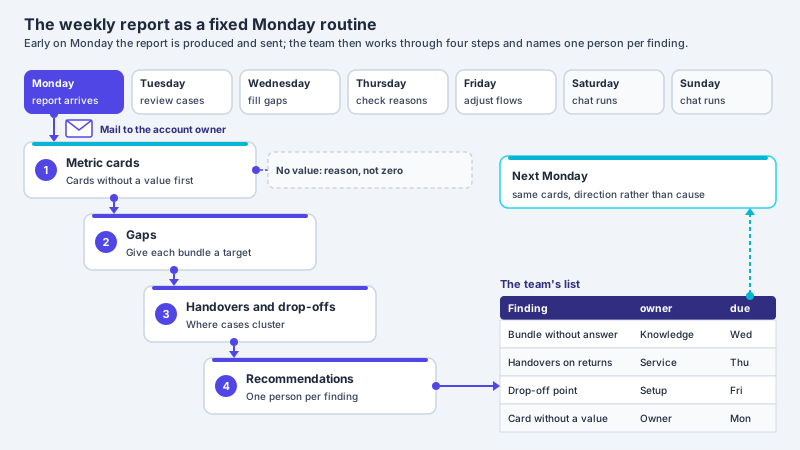
From the Pro package onwards, the analytics show after the sales week whether the maintained answer holds up. Topics are formed from visitor questions, and for each topic the handover rate appears in the analytics, not just as an overall figure. If a large share of conversations about the missing confirmation ends in a handover, either something is missing from the answer or the cause really lies in the shop. The handed-over cases tell the two apart: if the email in the resolved cases was mostly in the spam folder, a hint was missing from the answer; if the shop never sent it, the problem lies with the dispatch. Your account’s weekly report covers all assistants and goes out early on Monday to the owner, only to a confirmed address. It is a good occasion to look at this topic specifically after a sales week and to compare the number of questions with the number of orders in your shop.
Frequent questions
Does an online shop have to send an order confirmation?
In electronic commerce, under Section 312i (1) sentence 1 no. 3 BGB, the trader has to confirm receipt of the order without undue delay by electronic means. Between contracting parties who are not consumers, something else can be agreed under subsection (2). How the duty is implemented in your own shop and whether the email also declares acceptance of the contract is a matter for professional advice in the individual case.
Can the assistant check whether my order has arrived?
Usually not. Without a connection of its own it sees no orders. In the Custom package it can look up the order status through a connection to the inventory system, by default only after the customer has confirmed; whether the details match an order is checked by the connected system, not by XICBOT. Without this route it takes the email address and order time and passes the case to the team.
Why does the assistant not give a delivery address or order number?
Without a connection it sees no orders, and it cannot check who is writing: XICBOT has no identity check before information about a customer account, and an email address in the chat does not prove that the mailbox belongs to the person. The template for online shops instructs it not to give information about a specific order without a verified match; that is not a technical block. Under Article 5 (1) (f) GDPR, personal data must be protected against unauthorised processing, among other things; information about the order is therefore usually given by your team after its own check.
Should the customer simply order again?
As a rule, this is best avoided. If the first order did arrive after all, the result is a duplicate order and possibly a duplicate payment. The maintained answer should instead say that the team will check whether an order exists and get in touch through the channel given.
Can the assistant resend the confirmation or change the email address?
Not in the setup described here. It sends no email to the customer and changes nothing in the order. Your team does both in the shop after checking whether the person writing belongs to the order. The assistant takes down the details needed so that the case arrives there once the customer confirms.
How can I tell that the problem lies with the shop and not with the customer?
One indication is a cluster: if questions about the missing confirmation rise noticeably in the analytics, which are included from the Pro package, and the team finds no sent email in the handed-over cases, the cause may lie in the shop’s email dispatch. XICBOT sends no notification for such a cluster; looking at the analytics and the weekly report remains the team’s task.
Ask it yourself, Assistant of this website
Automated assistant