The assistant's weekly report: a fixed Monday routine for the team
How a team reads the assistant's weekly report every Monday in a fixed order: cards without a value, gaps, handovers, drop-offs and one person in charge of each finding.
In plain language
Every Monday morning the assistant sends a report on the past week. It goes only to the account owner and to a confirmed address. The team reads it in a fixed order. First come the cards without a value, which show why a figure is missing. Next come the questions without a sourced answer, grouped together. Then the team looks at where chats go to people or end in silence. Each finding gets exactly one person and a date. The same card shows in the next weeks whether a change works.
On Monday morning the assistant's weekly report is in the inbox: twelve labelled cards covering the seven days up to early Monday, followed by a few sentences that hang on those figures. Whether anything follows from it is not decided by the report but by what the team does with it in the next half hour. This article describes a fixed Monday routine in four steps: first read what was not measured, then work through the list of gaps, review handovers and drop-offs, and finally decide for each finding who takes it on and when the team looks again. It also covers what the report expressly does not do, why it works with counts rather than personal profiles and why the routine pays off particularly before the peak trading season in the fourth quarter.

Labels in the illustration
- Monday
- report arrives
- Tuesday
- review cases
- Wednesday
- fill gaps
- Thursday
- check reasons
- Friday
- adjust flows
- Saturday
- chat runs
- Sunday
- chat runs
- Mail to the account owner
- 1
- Metric cards
- Cards without a value first
- 2
- Gaps
- Give each bundle a target
- 3
- Handovers and drop-offs
- Where cases cluster
- 4
- Recommendations
- One person per finding
- No value: reason, not zero
- Next Monday
- same cards, direction rather than cause
- The team's list
- Finding
- owner
- due
- Bundle without answer
- Knowledge
- Wed
- Handovers on returns
- Service
- Thu
- Drop-off point
- Setup
- Fri
- Card without a value
- Owner
- Mon
What lands in the inbox on Monday
The weekly report is not a second evaluation but the same computation over a fixed window, delivered by email. Early on Monday the scheduler places one job per tenant into the queue; the background service then computes seven calendar days in the Europe/Berlin time zone, from the previous Tuesday up to the run on Monday, so the current day counts too. The result is twelve labelled cards carrying the same figures that appear in the customer area under conversation analytics. Test dialogs and acceptance runs are not counted, and the report combines all assistants of an account. A button in the email leads into the analytics, where every figure can be broken down.
| Group | Cards in the report | Question for the routine |
|---|---|---|
| Volume | Conversations, Messages | Was the week ordinary, quiet or unusually busy? |
| Resolution | Resolved by the assistant, Handed over to your team, Without an answer | How much stayed with the assistant, how much went to people, where was an answer missing? |
| Quality | With source reference, Average response time | Do the answers rest on your content, and how long do visitors wait? |
| Outcomes | Enquiries, Appointments, Shopping carts | What came about in the conversation? |
| Drop-offs | Abandoned, Abandonment rate | How many conversations ended silently and without an outcome? |
Below the cards come sentences, and each one hangs on a figure from the same week. They name, for example, the most frequent topics with their number of questions and the topics that were more frequent than in the equally long period before. If there were fallback answers, the report gives their number and some grouped questions in shortened form; if conversations went to your team, their number is stated. The sentence on source references only appears when fewer than half of the replies carry one. If none of this applies, a single sentence says that nothing stood out. The report does without phrasings that would fit any week; that keeps it short and the routine predictable.
Why a fixed routine beats occasional glances
An evaluation that gets looked at whenever there is time is read in quiet weeks and overlooked in busy ones, which is exactly when it would have the most to say. The weekly report takes the remembering off the team: it arrives at a fixed time, covers a fixed window and is therefore comparable from week to week. What it does not take off the team is the reading and deciding. A routine fixes four things for that: when the report is read, who takes part, in which order the team proceeds and what is recorded at the end. For those who do not look into the analytics every day, the report is an occasion; for those who do, it closes the week.
A short meeting on Monday morning, after the report has arrived, is a practical slot. Half an hour is usually enough when the order is fixed and nobody sees the report for the first time. The owner forwards the email to the participants or shows it in the meeting; alongside, the analytics in the customer area are open so that any figure under discussion can be broken down straight away.
The report asks questions, the routine answers them
A figure in the report is an occasion, not an instruction. Only when someone reads it, puts it in context and names a person for the next change does the email become a work step. Without that assignment the same finding stays put week after week, clearly visible and undone.
- Account owner: receives the report and forwards it; leading the four steps and keeping the list of findings can also fall to the head of customer service.
- Whoever maintains the knowledge base: takes on gaps and questions without an answer and needs at least the Edit role in the account for that.
- Whoever handles handovers: knows the conversations behind the handover figure and which reason keeps coming back.
- Whoever is responsible for the website or shop: takes on findings whose cause lies on a page, such as a missing note on shipping or delivery time.
- In small businesses this is often two people or one. The order of the steps stays the same.
Step 1: read the cards without a value first
Before anyone interprets a figure, the first look clarifies which figures exist at all. In the report each card carries either its value or the reason it is missing, in plain words exactly where the value would otherwise stand, such as “no reply in this period” or “no conversation in this period”. A card without a basis gets no zero. The difference matters for the routine: a zero means “counted and found nothing”, a reason means “there was nothing to count”. Without that distinction, a week in which the assistant was not embedded at all would look like a week without handovers.
| What the line shows | What it means | What the routine does |
|---|---|---|
| A figure, including a zero | Counted; the zero is a result | Compare with the previous week, move on to step 2 |
| A reason, such as “no reply in this period” | There was nothing to count | Check whether that fits the week, for example because of a company holiday |
| A reason that does not fit the week | Possible pointer to the embedding or availability | Check the widget on the website and the status before reading on |
| A short note: no conversation this week | No counted conversation; test dialogs do not count | Clarify whether the assistant was embedded and visible |
| No report in the inbox | A finding, not a coincidence | Check recipient and report status in the analytics |
If the report does not arrive at all, that too is a finding. Either the job never left the queue or the owner's address is not confirmed; if the report is unsubscribed or the account is not active, no report comes about anyway. At the end of the analytics page it says whether the report is subscribed and which address it goes to; without a confirmed address there is a warning instead of a recipient. For shares, a second look in the customer area pays off: in the report they appear as percentages, in the analytics they carry numerator and denominator. A rate from five conversations says something different from one from five hundred.
Step 2: work through the list of gaps
The report lists the week's fallback answers with their number and some grouped questions. That is the entry point; the full list sits in the analytics. There a knowledge gap is a row of its own, written the moment a finished answer ends without a single source reference, and it carries one of two types: refusal by the model or answer without a source. Next to it are the unanswered questions, meaning the visitor message immediately before a fallback answer, grouped into bundles of the same concern. What is counted in detail is described in conversation analytics: reading and improving chats; here the point is what the team does with the list on Monday.
- Is the question within the assistant's remit? Questions outside its brief stay unanswered, and rightly so.
- Does the answer already exist, just not in the sources? Then a document or a section is missing from the knowledge base, not the knowledge in the business.
- Where does the answer belong: in the knowledge base, on a page of the website or in an action the assistant can carry out?
- Who adds it, and by when? One name and one date per bundle, not per single question.
- Does the same bundle turn up again the following week? Then the addition was too narrow or in the wrong place.
Step 3: review handovers and drop-offs
The “Handed over to your team” card and the sentence on handovers say how many conversations went to people. For the routine the reason matters more than the figure. The analytics show the handover rate per topic, not only as a total; that is where it becomes visible whether a reason repeats. If it does, it can usually be answered in the assistant or set up as an action. The assistant detects frustration without a language model, through a point system, for instance when the same question comes for the third time; such conversations are worth reading in full because they show where an answer goes round in circles. What makes a good handover is described in when your AI assistant should hand off to a human.
Drop-offs are not written but derived: an open conversation, not handed over, with at least one visitor message, silent for thirty minutes and without an enquiry, appointment or cart. Next to it stands the position, the sequence number of the last message in the conversation. A single drop-off is not a verdict; someone who got their answer and closed the window can fall under it too. What tells you something is a cluster at the same point: if many conversations end after the same follow-up question, that very question is the obvious thing to check.
| Finding | Possible cause | Who looks into it |
|---|---|---|
| Handovers on the same topic pile up | The answer is missing, or the matter needs an action | Knowledge base maintenance, the owner for actions |
| Handovers due to frustration | An answer goes round in circles | Whoever handles handovers, reading the conversation |
| Drop-offs at the same point | A follow-up question is unclear or asks too much at once | Whoever sets up the assistant's follow-up questions |
| Drop-off rate rises with the same number of conversations | A page or an offer has changed | Whoever is responsible for the website or shop |
Step 4: read the recommendations, assign ownership
In the customer area, the analytics list recommendations under “What to do next”: ten kinds, each with the counted cases and the place where the change is made. A recommendation arises from a case that occurred, not from a threshold and not from an industry value; they are sorted by the number of cases, not by an effect nobody measured. For the routine this list is the agenda of the last step. It says what occurred and where it can be changed; who changes it, it does not say. The table below shows, by way of example, what the team’s list can look like after a Monday meeting.
| Finding | Owner | By | Next look |
|---|---|---|---|
| Bundle “delivery to Austria” without an answer | Knowledge base maintenance | Wednesday | Report of the following week |
| Handovers on the topic of returns | Customer service | Thursday | Handover rate per topic |
| Drop-offs after the postcode question | Assistant setup | Friday | Drop-off position in the analytics |
| Fewer than half of the replies with a source reference | Owner with knowledge base maintenance | Next Monday | “With source reference” card |
The list in the analytics is ordered by the number of cases; the order of work may differ. A bundle with few cases that concerns a legal question or a complaint can be more urgent than one with many cases about opening hours. The team makes that judgement, not the analytics; but it should be stated in the meeting and noted in the list so that it stays traceable the following week.
The following week: measure again instead of ticking off
The report of the following week is the first check. It covers a window of the same length, and for topics it states which were more frequent than in the period before. If a bundle that was worked on no longer appears, that is a good sign; if it reappears, the addition was too narrow, in the wrong place or not yet published. The analytics go further: with an assistant selected, they set the figures before and after a published version side by side. They show the direction, not the cause; what chance contributed to a change they do not separate out, and the decision stays with the team.
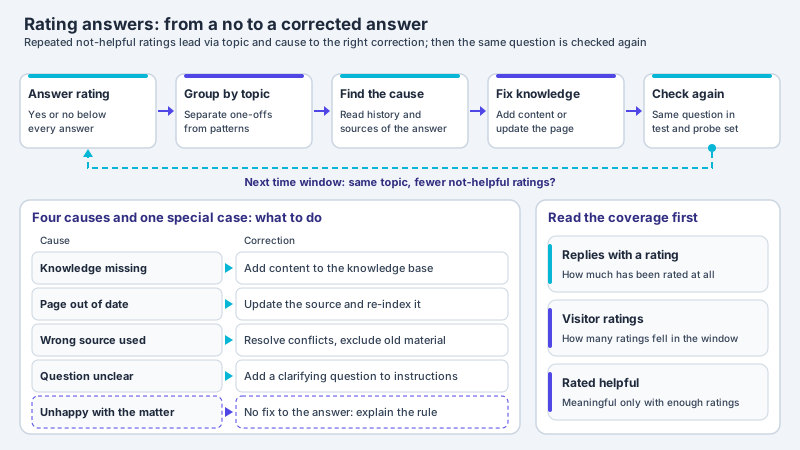
Besides the cards of the report, the analytics show how visitors rated individual answers. This feedback complements the Monday routine because it can also bring to light answers that carry a source and still do not help. How ratings can be bundled by topic and read without reference to individuals is described in letting customers rate answers.
Data protection: counts instead of personal profiles
The report works with counts across all conversations of a week: how many conversations, how many handovers, how many replies with a source reference. No profile of an individual visitor arises from it. A visitor's IP address exists only as a salted fingerprint per tenant, and the analytics do not read it. Nothing is read from the browser identifier, and what a visitor clicks on your site is not measured. The questions the report names as examples are visitor text; before output they are masked by patterns, email addresses and phone numbers for instance, and this detection usually catches the common spellings, not every one.
Behind this stands a principle of the General Data Protection Regulation. Under Article 5(1)(c) GDPR, personal data must be limited to what is necessary in relation to the purposes of the processing. For a Monday routine this means: to decide whether an answer belongs in the knowledge base, the team needs the question and its frequency, not the person who asked it.
adequate, relevant and limited to what is necessary in relation to the purposes for which they are processed (‘data minimisation’)
A few simple rules follow for the routine. The report is forwarded to the people who work with it in the meeting, not to a large distribution list. The list of findings records the topic, such as “delivery to Austria”, not the wording of an individual message and nothing that points to a person. Anyone who needs to read a conversation in detail does so in the customer area with the role the account provides for it. Which data is processed where and what the data processing agreement says is described on the privacy and hosting page. This section explains relationships and does not replace legal advice; in an individual case a professional review is advisable.
The report's limits and the routine before peak season
Some things the report expressly does not do, and the routine should not expect them of it. It is not an alert: what happens on a Tuesday only appears in the following week’s report, and anyone who wants to react faster looks into the analytics, which refresh themselves. Whatever happens on a Monday after the report has been sent appears in no weekly report, because the following week’s window only starts on Tuesday; it shows up only in the analytics. It does not say why someone bought or dropped off, and it attributes no amount to any conversation. It does not compare with other businesses. And it comes as an email, not as a spreadsheet or PDF; anyone who wants to process the figures further downloads them as a data record in the analytics.
Especially before the peak trading season in the fourth quarter it pays to introduce the routine now rather than in December. Promotion weeks and the Christmas business bring new topics, such as delivery times up to a cut-off date, exchanging gifts or vouchers, and with them new gaps. A team that has run through the four steps a few times in November recognises more quickly in busy weeks which finding is urgent. At the peak it can make sense to open the analytics daily as well and keep the Monday meeting as the close of the week. How request peaks in the chat can be absorbed overall is described in peak season: absorbing support spikes in chat.
- The owner's address is confirmed, and the analytics show a recipient for the weekly report.
- The report is subscribed; for new accounts it is from the start.
- A fixed Monday-morning slot is in the calendar, with the people from knowledge maintenance, customer service and the website.
- The order is fixed: cards without a value, gaps, handovers and drop-offs, recommendations.
- Every finding gets a person, a date and a next look, in a list outside the report.
- The participants have the roles in the account that they need for their part.
- After a few weeks the team checks whether the same findings keep returning and adjusts the routine.
Frequent questions
When does the weekly report arrive, and who receives it?
The report is produced early on Monday: the scheduler places one job per tenant into the queue, after which it is computed and sent. It goes to the account owner and only to a confirmed address. If the confirmation is missing, the report is unsubscribed or the account is not active, no report comes about.
Can several people in the team receive the report?
It is delivered to the owner, not to further addresses. The team usually works with the analytics in the customer area, which can already be viewed with the Read role and show the same figures. The owner can forward the email to those taking part in the routine, sensibly only to those who work with it.
What does it mean when a card shows a reason instead of a figure?
Then there was nothing to count for that card, such as no reply or no conversation in the period. The reason stands where the value would otherwise be and deliberately replaces the zero, because a zero would claim a measurement. If the reason does not fit the week, it is usually worth checking whether the assistant is properly embedded.
How long does the Monday routine take?
With a fixed order and a practised group, half an hour is often enough. In busy weeks, such as the Christmas business, it can take longer; it then helps to discuss the findings with the most cases and the sensitive topics first and to note the rest in the list.
Does the report show which customers asked what?
The report is organised by metrics, not by visitors, and no visitor profile arises. Example questions appear as visitor text and are masked by patterns before output; that usually catches the common spellings of email addresses and phone numbers, though not every one. If a question still contains something personal, it does not belong in the list of findings.
From which package is the weekly report included?
The service sends the weekly report on Monday in every package, provided the account is active, the owner has a confirmed address and the report has not been unsubscribed. Conversation analytics with the analytics in the customer area is included from the Pro package. Without the entitlement, the analytics respond with a block instead of empty cards, so that “not included” does not look like a zero.
Ask it yourself, Assistant of this website
Automated assistant