Fault Reports in Chat: Complete Details on First Contact
Which nine details a fault report in chat needs, which first steps the assistant may name and how it handles danger, urgency and the handover to your team.
In plain language
If a fault report lacks details, there are follow-up questions and often a second visit. A chat asks for the missing details before the report reaches the team. These include the device, the model, the error code, a photo and the place of work. The first question is about danger. If life or health is at risk, it first gives the number that helps right now. It gives no instructions for work on gas or power. The report goes to the team as one case. It only asks for what the job needs and does not ask for passwords.
A fault report rarely starts out complete. “The heating isn’t working”, “The machine shows an error”, “No hot water since yesterday”: sentences like these are not enough to plan a call-out. What follows are callbacks in which the same questions get asked – which unit, which model, what the display shows, since when, where exactly – and sometimes a first visit after which the technician has to come back a second time with the right spare part. An assistant on your website can ask for these details in conversation at first contact, offer a known fix from your documents and pass the report on in an orderly form. This article describes the nine details a fault report needs, the order in which the assistant asks, which first steps it may name and which it may not, how it grades urgency and what applies to addresses, photos and safety issues.

Labels in the illustration
- First message
- “Boiler shows E5”
- Danger?
- Emergency first
- Intake ends here
- yes
- no
- Not in the chat
- Work on gas or electrical systems
- Opening casings, swapping parts
- Bypassing safety devices
- First: unit and fault pattern
- Unit/system
- What happens
- Since when
- Error code
- Already tried
- Known fix?
- from the knowledge base
- Resolved
- Step from your documents
- yes
- no
- For the report
- model and condition
- Rating plate
- Photo
- For the call-out
- only once it is due
- Availability
- Site address
- Case for the team
- Summary confirmed: details, photos, steps tried and urgency in one case
Why a fault report triggers follow-up calls
Anyone reporting a fault describes what they see: the unit is not running, it makes a noise, something is flashing on the display. For the firm handling the report, that sentence lacks almost everything it needs for planning. Which unit is meant if there are several in the building? Which model, and therefore which spare parts? Is it a complete failure or a fault that can be reset? Does someone need to go on site, and if so, where to, and when is someone there? Each of these questions costs a phone call, and not every call reaches the customer on the first attempt.
| Missing from the report | What typically happens next |
|---|---|
| Model and serial number | A follow-up call before ordering spare parts, or the technician sets off without the right part |
| Error code or display | Diagnosis only starts on site, although the code often narrows down the cause already |
| Steps already tried | The customer is taken through the same steps a second time |
| Since when and how often | A fault that only occurs now and then does not show during the visit and stays unresolved |
| Availability | Several call attempts until an appointment is agreed |
| Site and access | The call-out cannot be planned, or nobody is there to open the door |
This article covers the intake of technical faults: in heating and building services, in appliances or machines, reported to a specialist firm or to a customer service department. Who pays for the repair and whether statutory warranty or a guarantee applies is a different question; it is covered in the article on complaints and warranty in chat. How a property management company takes damage reports from its tenants is described in the article on tenant requests and damage reports. Spare parts information for business customers in mechanical engineering, where type and serial number are settled before any question about parts, is covered in the article on technical machinery enquiries. Here the question is what a technician needs to know before setting off.
Nine details for a complete report
Which details a report needs depends on the trade. For most technical faults, however, the list comes down to nine points. Not every report needs all nine: a dripping tap does without a serial number, a heat pump hardly ever does. Which details are mandatory for each group of units, and when one of them may be dropped, is decided by the firm and not by the assistant during the conversation.
| Detail | What it is for | How the assistant asks |
|---|---|---|
| Unit or system | Assigns the report to the right trade and technician | “Which unit is it about: heating, hot water, ventilation or something else?” |
| Manufacturer, model and serial number | Determines spare parts, documents and known fault patterns | Asks for a photo of the rating plate if typing it out is tedious |
| Since when | Separates a new failure from a recurring fault | “Since when has this been happening, and has it happened before?” |
| What exactly happens | Describes the fault in the customer’s own words | Asks about what can be seen, heard or smelled |
| Error code or display | Often narrows down the cause before the call-out | “Does the display show a code, or is a light flashing?” |
| Photo | Shows the position, condition and surroundings of the unit | Asks for a picture of the unit, without people in it, if attachments are switched on |
| Steps already tried | Prevents the same steps from being run twice | “Have you already tried anything, and what happened then?” |
| Availability | Makes follow-up questions and scheduling plannable | Asks for a phone number and a time window for follow-up questions |
| Site address | Determines where the technician goes and where the unit is located | Asks for the address and the location in the building once a call-out is due |
Danger first, data second
The order of the questions is not a matter of style. Someone who smells gas or sees smoke rising from a unit must not be asked for the serial number first. That is why every fault intake begins by checking whether the description points to a danger. Only if it does not does the actual intake follow. The assistant then asks one question at a time, takes over what the customer has already written and asks only for the rest: anyone who gives the error code in the first message is not asked for it again.
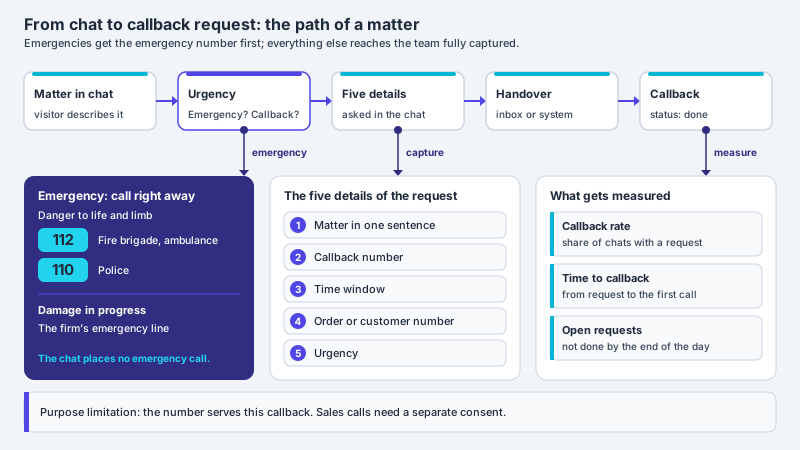
- Check for danger: if the description points to a danger to life or health, the intake ends here with the referral to the emergency number. For damage in progress, such as water that cannot be stopped, the assistant names the on-call number or takes a callback request with a phone number; further details only follow afterwards.
- Unit and fault pattern: which unit is affected, what exactly happens, since when?
- Read the display: error code, flashing light or message on the display, word for word.
- Check for a known fix: if your documents contain an approved first step for this fault pattern, the assistant names it, usually with a source.
- Rating plate and photo: model and serial number, most easily as a picture, plus a photo of the unit.
- Availability and site address: phone number, time window and address, as soon as it is clear that someone has to come.
- Confirm the summary: the customer reads the report in a few sentences and corrects whatever is wrong.
The number first, the serial number later
A fault intake that asks for the model when someone smells gas is worse than none at all. The check for danger therefore comes before every other question, and a match ends the intake. Everything else is clarified by the on-call service once the situation is safe.
First aid from the knowledge base
Some faults resolve themselves before anyone sets off. The unit was switched off, a filter is clogged, the display reports a state that the operating manual explains and that the user may clear themselves. If the fix is in your documents, the assistant can name it before a call-out is planned. That saves time on both sides, but it requires the documents to actually contain these cases, in a form that matches the fault pattern. The following content belongs in the knowledge base for this purpose:
- Error code lists per product line from your own documents, with their meaning and a note on whether the user may do anything themselves.
- Operating steps that the manual explicitly assigns to the user, such as a restart or cleaning an accessible filter.
- Location of the rating plate for the product lines reported most often to you.
- Stop criteria: when an attempt should be ended and the customer is better off waiting for the technician.
- Common operating errors with the correct setting, for example a time programme that lowers the heating at night.
With the default setting, XICBOT answers exclusively from the stored documents and usually names the excerpts it used; the operator can relax this setting per version. If they contain nothing about an error code, the assistant says exactly that in one sentence – “There is nothing on this in the stored knowledge base” – and takes the report instead of guessing a cause; at the same time the question is recorded as a gap. For the assistant to name approved steps at all, its topic boundary has to include error codes and user steps explicitly: its instructions tell it not to answer questions outside that boundary, and the industry template for trades initially rules out remote diagnosis. Its handover rule needs adjusting as well: it passes a specific damage report straight to the firm and only asks for the callback number; if the assistant is to take the details first, the rule has to provide for that. How sources are read in and maintained is described on the knowledge base page. How reliably this works can only be measured. In our own measurement series of 11 September 2026, 42 of 48 answers to questions whose answer is in the knowledge base carried a source reference, six did not; 43 of 48 questions stayed without a handover to a person. This was measured on a single assistant on our own knowledge base and not on customer projects. For fault reports these figures say nothing specific; what counts is what your own analysis shows. The method is described under measurements.
No instructions for gas and electricity
Not every fix that can be found somewhere belongs in a chat. For gas and electrical installations, the German grid connection ordinances set limits. For the gas installation downstream of the main shut-off device, section 13(2) of the Low Pressure Connection Ordinance (Niederdruckanschlussverordnung, NDAV) determines who may work on it:
Apart from the network operator, work on the installation may only be carried out by installation companies that are entered in the installer register of a network operator active within the scope of this ordinance.
For the electrical installation downstream of the service fuse, section 13(2) of the Low Voltage Connection Ordinance (Niederspannungsanschlussverordnung, NAV) contains a corresponding rule: apart from the network operator, the work may only be carried out by a registered installation company; for maintenance work this does not apply, except for the section between the service fuse and the metering equipment, including the metering equipment. For a chat a simple precautionary rule is therefore advisable, one that goes beyond the NAV’s reservation for electrical installations: the assistant gives no instructions for work on gas installations or electrical installations, not even in a well-meant short form. What an operating manual explicitly allows the user to do is something other than work on the installation; that line is drawn by the specialist firm in its documents, not by the assistant in the conversation. The following therefore does not belong in the chat:
- Opening casings, removing covers or swapping components
- Work on gas pipes, gas valves and fittings or the flue system
- Work on cables, sockets, distribution boards or the meter panel
- Bypassing safety devices or repeatedly resetting a safety lockout
- Settings that the manual reserves for the qualified installer, for example in a protected service level
Grading urgency in levels
Not every fault is equally urgent, and an assistant should not decide that by feel. A small number of fixed levels works well in practice, described by the firm with examples in its customers’ language. The assistant assigns the description to a level, tells the customer what happens next and writes the level and its reason into the report. A promise about arrival time is not part of this; only the firm can give one. How a trade business keeps on-call cases and appointment requests apart in chat is described in the article on AI chat for trades.
| Level | Typical description | What the assistant does |
|---|---|---|
| Danger | Smell of gas, smoke or burning, sparks, an injured person | Refers to the emergency number, names the network operator’s fault line if you have stored it, and should ask nothing further |
| On-call | Water is running and cannot be stopped, heating failure in winter, power failure | Refers to the firm’s on-call service or takes a callback request with the matter already captured |
| Urgent | A unit fails without causing damage, for example no hot water | Takes the complete report and marks it as urgent |
| Plannable | Noises, an occasional error message, declining performance | Takes the report and offers an appointment request |
For the danger level, the instruction that XICBOT passes to the language model contains a fixed rule: if a question points to a danger to life or health, the referral to the emergency services comes before any role instruction, the conversation is usually handed over to your team at the same time, and the rule cannot be switched off. Its wording is fixed; in German-language conversations it names the emergency services on 112 and the out-of-hours medical service on 116117, not the gas network operator’s fault line and not your on-call service. The service additionally appends the same sentence itself when the question contains certain keywords; these keywords are tailored to medical emergencies, and a smell of gas or burning is not among them. The numbers for these cases therefore belong in your own settings: in the assistant’s role or handover rule and in a maintained section of the knowledge base. Whether they appear before or after the fixed referral in the answer, and whether the assistant then refrains from asking for further details, is not determined by this; only testing shows it.
The on-call level depends on your settings: the assistant names the on-call number you have stored or takes a callback request; the callback is a writing action with a log entry. This has to be kept apart from the fallback answer, which has nothing to do with a described danger: it is a mandatory field of every assistant and the substitute answer that appears when the language model does not respond or the quota is used up. Your on-call number still belongs in it, so that a customer learns whom to call even during such an outage. What this looks like for a trade business is shown on the page about the assistant for trades.
Handing the report over as a case
At the end of the intake the assistant summarises the report in a few sentences and shows it to the customer. If the report is created through a configured action, the case only comes into being after confirmation: in XICBOT every action that writes something is tied to a confirmation, and the visitor first sees a card with the details in plain text. The mandatory details are then part of the action’s field schema; if one is missing, the action is not carried out, and after the click the mandatory fields are checked again. This is described on the tool control page. A handover that the assistant triggers itself in the conversation, for example under the fixed emergency rule, works differently: it creates the case in the inbox without confirmation and notifies the team, so in a danger case there is no detour via a card. A complete report contains:
- Subject in one sentence: unit, fault pattern and level, for example “Gas condensing boiler, code on the display, no heating, urgent”.
- Rating plate: manufacturer, model and serial number, as text or as an attached photo.
- Description in the customer’s words: what the customer observes, since when and how often.
- Error code and display exactly as shown on the unit.
- Steps tried and their result, including any step the assistant named from the documents.
- Urgency level with its reason, so that the grading stays traceable.
- Photos attached to the case, not sitting in a second channel.
- Availability and site address, plus the whole conversation history.
Where the report goes depends on where your team works: as a message to the shared inbox, as a ticket in a connected ticket system (Custom package) that returns the case number, or as a callback request. An accepted request can additionally go to your own system as an event (Custom package). Two things usually prevent duplicate work: a second handover in the same conversation generally does not trigger a second notification, and a second click on the same proposal with the same details is recognised as a duplicate and not carried out again. How a handover to people should be structured in general is described in the article on handover to human agents.
Address, photo, access: only what is needed
A fault report contains personal data: name, phone number, address, sometimes a photo taken inside the home. Collecting it is subject to the principle of data minimisation in Article 5(1)(c) GDPR. For the chat this means: the assistant asks for what diagnosis and call-out require, and only when it is required. The address is needed for an on-site appointment, not for a fault that is cleared with a step from the manual.
adequate, relevant and limited to what is necessary in relation to the purposes for which they are processed (‘data minimisation’)
- Address only once a call-out is due, together with the location in the building, such as basement or attic.
- Photos show the unit, the rating plate or the damaged spot, no people and no documents containing other people’s data.
- No access codes in the chat: codes for key safes or alarm systems and Wi-Fi passwords do not belong in a chat message. How the technician gets into the building is clarified by the firm during the callback.
- Accept attachments only after checks: in XICBOT attachments are switched off ex works and are enabled per assistant. The type of an uploaded file is recognised from its first bytes, an attachment is not delivered in executable form and it stays with the case.
- Set the retention period: you decide how long conversations, cases and attachments are kept. What else to consider with photos in the chat is described in the article on image upload in chat.
When a fault points to a safety issue
Some fault reports are more than a repair order. If a unit becomes conspicuously hot, smells burnt or someone was injured by it, a safety problem with the product may be behind it. For consumer products, Regulation (EU) 2023/988 on general product safety applies, but not to every unit in full. For products covered by Union harmonisation legislation, such as appliances burning gaseous fuels, electrical equipment under the Low Voltage Directive or machinery, Article 2(1) excludes, among other parts, Chapter III, Section 1, that is Articles 9 to 18 with the general obligations of manufacturers, importers and distributors. The obligations in the case of accidents in Article 20 sit in Section 2 and also apply to these products. Not every defect has to be notified: under Article 20(2), the manufacturer notifies incidents that resulted in a person’s death or in serious adverse effects on that person’s health and safety, such as injuries. Under this wording, a hot unit, a smell of burning or damage to property without such consequences for a person does not fall within it. If such an accident has occurred, the manufacturer ensures under Article 20(1) that it is notified to the competent authorities, and that paragraph also states what the notification has to contain:
The notification shall include the type and identification number of the product as well as the circumstances of the accident, if known.
Two things follow for the intake in chat. First, model and serial number matter for more than the spare part: they make it possible to assign a report to a specific product. Second, descriptions that point to a safety issue should not end up in the general repair queue but with the person responsible for it in the company. A specialist firm that installs and services units is usually not the manufacturer. If it supplied the unit itself, however, it can be a distributor within the meaning of the Regulation, and under Article 20(3) distributors that have knowledge of an accident within the meaning of Article 20 caused by a product they made available inform the manufacturer without undue delay. Which obligation applies in an individual case is a question for professional advice; the chat records such information in an orderly way and with a timestamp so that it can be passed on directly.
Introducing and measuring
A fault intake in chat does not come from a template but from the reports that actually reach you. A good starting point are the most frequent faults of recent months, the error code lists of your main product lines and the questions your team asks most often on the phone. From these come the mandatory details per group of units, the urgency levels and the list of approved first steps. Before go-live, typical descriptions run through as test cases, as described in the article on acceptance testing before go-live, explicitly including a smell of gas, smoke and water that cannot be stopped. In operation, the effect shows in a few figures: how many reports arrive complete, how often your team still has to ask back and which error codes end up as gaps in the analysis.
- The mandatory details per group of units are set down in writing, as is when a detail may be dropped.
- Error code lists, the location of rating plates and approved user steps are in the knowledge base.
- The rule against instructions for gas and electrical installations is part of the assistant’s boundaries and has been checked in a test conversation.
- The urgency levels are described with examples, the numbers for a smell of gas, fire and the on-call service are in the assistant’s settings, and the fallback answer for an outage names the on-call number.
- The report goes, with a confirmed summary, photos and history, to a route your team looks at every day.
- Follow-up questions from your team are counted, so that it becomes visible which detail is still missing.
Frequent questions
Which details belong in a fault report?
Usually nine: unit or system, manufacturer with model and serial number, since when the fault has existed, what exactly happens, error code or display, a photo, steps already tried, availability and the site address. Not every report needs all nine; the firm decides which details are mandatory for each group of units.
May the assistant give troubleshooting tips?
Yes, if they are in your stored documents and the operating manual assigns the step to the user, such as a restart or cleaning an accessible filter. The assistant then usually names the step with a source. If the documents say nothing about it, it says so and takes the report instead of guessing a cause. Instructions for work on gas or electrical installations do not belong in the chat.
What happens if someone reports a smell of gas?
Then the intake should end immediately. Under its fixed rule the assistant refers to the emergency services; it names the fault line of the local gas network operator only if you have stored it in its settings. It should not ask for further details in that case. Because the fixed emergency sentence in XICBOT is tailored to medical emergencies, a smell of gas belongs explicitly in your role or handover rule and in the test cases before go-live.
Does the customer have to type out the serial number?
Not necessarily. A photo of the rating plate is usually easier and avoids transposed digits; the plate generally shows manufacturer, model and serial number. It helps if the knowledge base describes where the plate sits on your most frequently reported product lines, so that the assistant can name the spot with a source.
How does the report reach the team?
As one case with the details, photos and conversation history, depending on the setup as a message to the inbox, as a ticket in a connected system (Custom package) or as a callback request. If the report runs through a configured action, it is only created after the customer has confirmed it; a handover in a danger case goes out without confirmation. A second handover in the same conversation does not normally trigger a second notification.
Which data should the assistant not ask for?
Anything that diagnosis and call-out do not require; this follows from the principle of data minimisation in Article 5(1)(c) GDPR. Access codes for key safes or alarm systems and Wi-Fi passwords typically do not belong in a chat message, and photos should show the unit, not people. What is required in an individual case should be reviewed by a professional.
Ask it yourself, Assistant of this website
Automated assistant