Shop Search Without Results: Chat Catches Drop-offs
An empty results page hits visitors with high purchase intent. How a chat assistant catches typos, jargon and compatibility questions in your online shop.
In plain language
Sometimes the search in a shop finds nothing at all. Often the item is in the catalogue all the same. Typos, trade words, sizes or the question whether a part fits are to blame. Many shops then leave visitors with no way back. A chat can carry on the search as a conversation. It asks about model, size or use and shows the right item. If the item is not stocked, it says so clearly and offers another way. The search words that found nothing show you what the catalogue lacks.
A visitor types a term into your shop search, hits enter and gets an empty page. No product, no suggestion, no way forward. For many people, that is where the purchase ends, and not because the assortment has nothing to offer, but because nobody asks what they meant. Around 50 per cent of the shops examined offer no effective way back into the assortment from the no-results page (Baymard Institute). A chat assistant can take over that moment: ask a question, rephrase the term, show a matching product as a card, or state plainly that the item is not stocked here.

Labels in the illustration
- 50 %
- of shops offer no way out
- of the no-results page
- Search query
- visitor types a term
- Results found
- Zero results
- so far: dead end
- Product list
- Chat assistant
- asks instead of ending
- Matching product
- Handover to team
- Assortment gap
- Typical causes
- Typos
- Jargon
- Compatibility
- Assortment gap
- Share: Baymard Institute, Search UX
What happens on the no-results page
Shop search is not a side stage. Across many rounds of large-scale usability testing, roughly half of participants reach for the search field first, while the other half navigate through the main categories (Baymard Institute). Anyone who searches has already put their intent into words: they describe a specific product, a property or a problem, not a category. That is why an empty result page weighs heavier than a clumsy filter. It hits exactly the visitors who are closest to a purchase, and it hits them at the moment they expect an answer.
The benchmark picture is clear. 56 per cent of the shops examined fail to adequately support their users' search needs (Baymard Institute). Split by device class, 46 per cent of desktop shops, 58 per cent of mobile shops and 64 per cent of shop apps land in the mediocre-or-worse range overall (Baymard Institute). The basis is more than 10,000 individual ratings across more than 170 benchmarked shops and apps. This is not a fringe group of neglected catalogues, it is the average.
Baymard's latest ecommerce Search UX benchmark shows that nearly 50% of sites fail to provide users with effective ways to recover from a search that yields no results.
The typical no-results page consists of one line of text and an empty area below it. Sometimes search tips follow: try a different spelling, use a broader term, reset your filters. The institute notes about such hints that users rarely read them and even more rarely apply them effectively (Baymard Institute). So the visitor faces a page that hands back the work they had just delegated to the shop. Offer nothing at that moment and you leave the next step to a competitor or to the close button.
Why the search runs into nothing
It pays to separate search queries by type, because the hit rate depends heavily on what someone is asking for. Most shops cope with exact product names and simple product types. After that it gets steep: 39 per cent of shops have issues with searches for a feature, 43 per cent with searches by use case, 44 per cent with compatibility questions and 66 per cent with non-product queries (Baymard Institute). Those are precisely the phrasings a customer chooses when they do not know the manufacturer's article name, which covers almost every assortment that needs explaining.
- Typos and spelling variants – one letter off, one hyphen too many, and the index finds nothing. The customer sees no difference between their own mistake and a genuine gap.
- Jargon instead of catalogue name – on the shop floor the part is called something else than at the manufacturer. The shop stocks the item, but under a label nobody uses day to day.
- Abbreviations, measurements and symbols – sizes, imperial units, a space between number and unit. Every spelling is plausible, only one matches the index.
- Compatibility questions – “does this fit my model” is not a product name, it is a question. A full-text search cannot answer it structurally.
- Symptom descriptions – the customer describes the problem, not the solution. They search for what is broken and expect the item that fixes it.
- Non-product queries – returns, delivery times, invoices, cancellations. For many visitors the search field covers the whole website, not just the catalogue.
All six cases share one trait: the visitor expressed themselves clearly, just not in the language of the index. A person behind a counter would ask a follow-up question at that point and be done within two sentences. A search function cannot, because it has no second move. It scores a string and returns a set that is allowed to be empty. Dialogue is therefore not a pleasant extra beside search, it is the missing second round.
What the chat assistant does in the no-results moment
The difference between a search function and an assistant is not result quality, it is the number of moves. Search has one, dialogue has as many as the customer is willing to give. In its recommendations for no-results pages, the institute explicitly names the option to start a chat conversation directly from that page, because in testing some users prefer chat over a phone call (Baymard Institute). That is exactly where the shop assistant comes in.
-
Pick up the term
The assistant receives the failed search term as context and does not start from zero. The customer does not have to repeat what they just typed.
-
Ask back
A question instead of an error message: which model, which year, which size, what for. One question, not five, otherwise the dead end turns into a form.
-
Rephrase
Jargon to catalogue name, abbreviation to full form, symptom to product group. The mapping comes from the knowledge base, not from free guesswork.
-
Show a product card
The result appears as a card inside the conversation, with image, price and a route to the cart. The customer does not leave the dialogue to buy.
-
Name the gap
If the shop does not stock the item, the assistant says so clearly and offers an alternative or an inquiry to the team. No forced recommendation.
-
Hand over
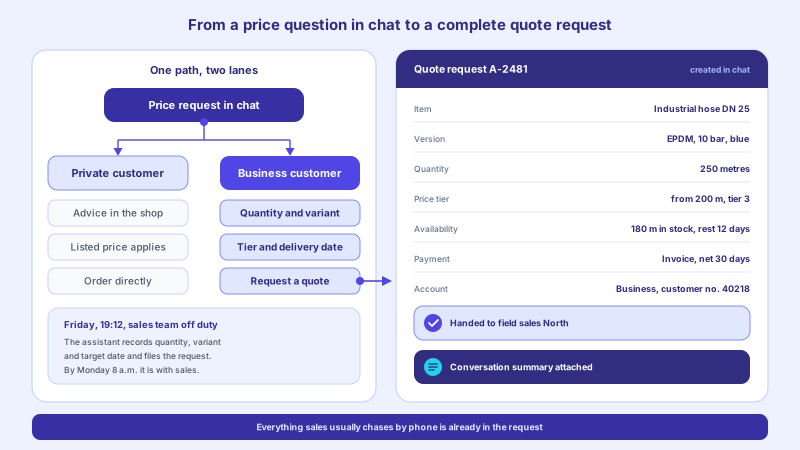
For special cases the conversation is meant to move to a colleague with the full transcript. The customer does not tell their story a second time.
The order matters. The assistant does not guess a product straight away, it first checks whether the query was product-related at all. A question about the return window gets an answer from the knowledge base, not a product card. Only once it is established that someone is looking for an item does the narrowing down begin. This separation prevents a common misstep of automated search helpers: offering something because the empty page feels awkward. The article on guided selling in chat shows how that plays out in detail.
| Situation | No-results page without dialogue | With a chat assistant |
|---|---|---|
| Typo in the term | Empty page, hint about spelling | Follow-up with a corrected suggestion and results |
| Customer's own jargon | No result, the item stays invisible | Mapping to the catalogue name, product card in the dialogue |
| Compatibility question | Full-text search returns unfitting accessories | Follow-up about the model, then a checked selection |
| Question about returns or delivery | Product list instead of an answer | Answer from the knowledge base with a link to the page |
| Item not stocked | Empty page without explanation | Clear answer, alternative or inquiry to the team |
| Special case without a standard answer | No contact route at that point | Handover to a colleague with the full transcript |
Handing over from the results page into the dialogue
Technically the entry point is small. The results page knows how many hits it rendered and it knows the search term from the request. Both are enough to open the assistant with context instead of leaving it as an anonymous icon in the corner. The trigger belongs on the results page and not globally on every page, otherwise the window opens where it gets in the way. The integration page describes what the embedding looks like overall.
suche-null-treffer.js javascript
const hits = document.querySelectorAll('[data-product]').length;
const term = (new URLSearchParams(location.search).get('search') || '').trim();

if (hits === 0 && term !== '') {
  document.dispatchEvent(new CustomEvent('assistant:open', {
    detail: {
      trigger: 'search-no-results',
      term: term,
      category: document.body.dataset.category || null,
      page: location.pathname
    }
  }));
}
That gives the assistant more than the term. It knows which part of the shop the query came from, whether a filter was active and whether the visitor is signed in. The more of that is settled, the shorter the follow-up question becomes. Exactly what gets passed on belongs in writing before go-live, because every field is a data processing operation with a purpose. The article on handover to human agents describes the same logic for the second step.
- The failed search term in its original wording, without correction by the shop.
- The category or section the search ran in, if the search was scoped.
- Active filters, because they explain why an otherwise fitting set came back empty.
- The interface language, so the follow-up question comes in the same language.
- A marker showing whether this was the first or a repeated search without results.
Name the assortment gap instead of papering over it
Not every empty search is the shop's fault. Sometimes the item simply is not stocked there. For that case the assistant needs an explicit rule, otherwise it fills the gap with whatever looks most similar. That is convenient in the short term and expensive in the long run: the customer orders something that does not fit, sends it back, and remembers that the advice in the chat did not hold. A clear answer costs one order, a wrong recommendation costs a customer and a return.
The honest answer is the more robust one
When the catalogue does not carry the item, the closest-looking product card helps nobody. What holds up is a sentence that states the situation, plus an offer that leads somewhere: an alternative with the difference spelled out, an inquiry to the team that is only created after confirmation, or a handover to someone who can source it. The assistant loses no authority through that, quite the opposite.
This restraint matches what customers expect. Only 6.3 per cent of online shoppers would currently let an AI handle their purchase completely, while 91.7 per cent decline (bevh). Customers do not want a machine deciding on their behalf, they want help that prepares their own decision. That is exactly what an assistant delivers when it occasionally says it has nothing suitable. The article on preventing hallucinations with a knowledge base shows how to secure that stance technically.
- Alternative with the difference – a comparable item, paired with a sentence about how it differs. No silent substitution.
- Inquiry to the team – the customer leaves a name and an email address or phone number for the item they are looking for; the inquiry is only created once they have confirmed the details being submitted. The assistant sends no automatic message once the item is available – the reply comes from your team.
- Sourcing request – for assortments that need explaining, the enquiry goes to purchasing instead of nowhere.
- Note for assortment planning – the term lands in the analysis even when the conversation ends without an order.
Failed searches as a data source
The list of search terms without results is one of the most honest data sources in the shop. It holds wishes in the customer's own language, unfiltered by category trees and filter logic. In most systems it already exists but goes unread, because nobody owns it. A simple extract from the search log is enough to start with, and after a week it says more about naming gaps in the catalogue than a long assortment debate.
Shell command bash
grep 'hits=0' /var/log/shop/search.log | cut -d'"' -f2 | sort | uniq -c | sort -rn | head
     47 adapter for model x
     31 spare part 12 mm
     22 return period
     18 rubber seal small
     14 wall mount universal
Those five example lines alone contain four different tasks: a compatibility question, a measurement with inconsistent notation, a non-product query and two terms pointing to missing synonyms in the catalogue. None of them is a search-engine problem. Three of them the assistant solves in conversation, all four belong in maintenance. Conversation analytics turns this into a recurring review instead of a one-off glance at the log.
- Once a week, pull the twenty most frequent search terms without results, with counts rather than just a list.
- Assign each term to one of four classes: spelling, missing synonym, non-product, genuine assortment gap.
- Enter spellings and synonyms directly into the search configuration and into the knowledge base.
- Store non-product queries as answer building blocks so they are handled without a detour next time.
- Pass genuine gaps to purchasing as a set, with frequency and period, not as individual reports.
After a few rounds the picture shifts: the list gets shorter and the remaining terms get more meaningful. What is left is usually a genuine sourcing topic. That turns an error list into a planning tool. The article on keeping the knowledge base up to date describes how this maintenance is organised, who owns it and at what cadence.
Rolling it out: order of steps and measuring points
The rollout can be done in manageable steps and needs no rebuild of the search itself. What matters is that you settle what to measure before the first trigger goes live. Otherwise you end up with an assistant on the page whose effect nobody can evidence. The article on the AI assistant for online shops places this building block in the wider setup.
- Establish a baseline: how many searches end without results, and how many sessions end right afterwards.
- Review the twenty most frequent terms without results and derive the first answer building blocks from them.
- Add the trigger on the results page, at first as a visible entry point without automatic opening.
- Activate product cards in the dialogue so the result appears as a card with a route to the cart, not as a text list.
- Set up the handover to a colleague, including transcript and ownership outside business hours.
- Measure again after four weeks and refine the answer building blocks based on the actual conversations.
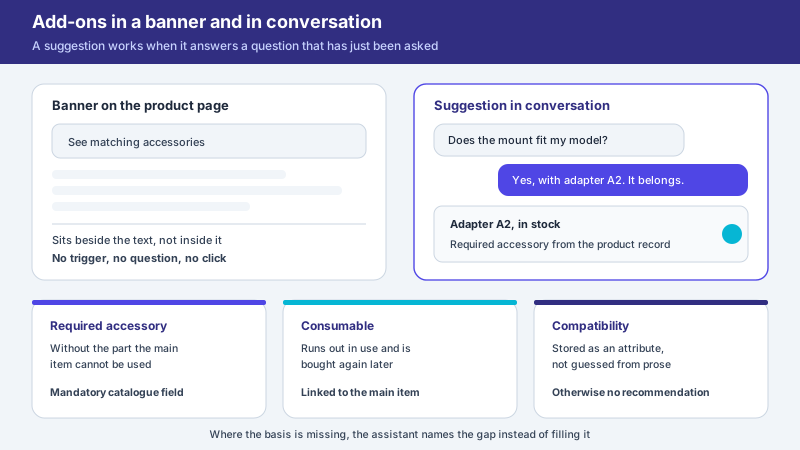
For product cards in the dialogue, product cards are the fitting building block, and for the route from suggestion to order it is the cart assistant. Neither is decoration: without them the dialogue ends with a name the customer has to search for again. The article on product cards in chat shows how cards and cart work together in the conversation.
What becomes measurable, and what does not
Measurable are the number of searches without results, the share of those that lead into a conversation, and the share of conversations ending with a product card, an inquiry or a handover. Not measurable is the revenue that would have been lost without the assistant, because the control group is missing. Reporting that as a figure anyway converts an assumption into a metric. What holds up is the comparison of the same period before and after the rollout, with the seasonal situation stated. How strongly a seasonal peak shifts the figures is shown in the article on the AI assistant for insurance brokers in the switching season.
The mobile share sharpens the situation further. 69 per cent of online revenue comes from mobile devices (HDE Online-Monitor 2026). On a small screen there is no side column with categories, no visible navigation and no comfortable second attempt. The empty result page fills the entire viewport there. That is precisely why an offer of dialogue works harder on mobile than at a desk, and precisely why the input field has to be usable there without zooming.
Dealing with assistants has become familiar. 35 per cent of consumers already use AI chatbots for product research, and 26 per cent of internet users deploy them regularly (HDE Online-Monitor 2026). If your own shop offers no way to ask a follow-up question, that question moves elsewhere. The article on zero-click search describes the same movement coming from the search engines.
The no-results page is one of the few places in the shop where the customer has already said what they want and still walks away empty-handed. Occupy that moment with a follow-up question instead of a hint text and you typically gain two things: a share of the drop-offs, and a list of what the catalogue is missing. Both come out of the same conversation. For businesses with an assortment that needs explaining, it is also worth looking at the assistant for online shops and the matching features.
Frequent questions
How many searches in a shop typically end without results?
That depends heavily on the assortment and the search configuration and cannot be generalised responsibly. Only your own figure from the search log is reliable. What is telling is how these pages are rated: around 50 per cent of the shops examined offer no effective way back into the assortment there (Baymard Institute). Establish your own share before any measure, otherwise the comparison value is missing.
Does the chat assistant replace the shop's search function?
As a rule it does not. Search remains the direct route for everyone who knows the article name, and it returns results without conversational effort. The assistant takes on the cases where search structurally has no second round: follow-up questions, compatibility, symptom descriptions and non-product queries. The two complement each other rather than replacing one another.
How does the assistant know which item matches the search term?
From the knowledge base and the connected catalogue data, not from free guesswork. Synonyms, technical terms and compatibility details are stored and maintained there. If no robust mapping exists, the assistant says so instead of forcing a recommendation. This binding to checked sources is what separates it from free text output.
Will the chat window then open by itself on every empty results page?
Experience suggests it should not. What works well is a visible entry point on the results page and automatic opening only on the second unsuccessful search within the same session. That keeps the assistant an offer rather than an interruption. The rule belongs in documentation and its effect belongs in measurement.
What happens if the shop genuinely does not stock the item?
Then the assistant says so openly and offers one of three routes: an alternative including the difference, an inquiry to the team that is only created after confirmation, or a handover to a colleague. The term additionally moves into the analysis for assortment planning. A forced recommendation as a rule produces a return rather than a satisfied customer.
How long does the rollout on the no-results page take?
The technical trigger on the results page is usually built within a day, provided the assistant is already running and the integration is in place. The editorial work takes longer: deriving synonyms, answer building blocks and compatibility details from the actual search terms. Experience suggests two to four weeks until the first robust measurement.
Ask it yourself, Assistant of this website
Automated assistant