Easing SaaS Support and Onboarding with an AI Chat
An in-product AI assistant answers onboarding questions from your docs, catches recurring support cases and hands complex cases to your team with context.
In plain language
Many customers first look for help on their own. Only a few solve their problem that way. Often they find no text that fits. An assistant inside the product helps right where people set things up. It sticks to your guides and says so when it lacks a source. Simple questions about passwords, rights, exports and bills can be solved before a ticket. Suspected bugs, billing trouble and security questions go to the team with a summary. It does not replace guides or tickets, it sits in front of them.
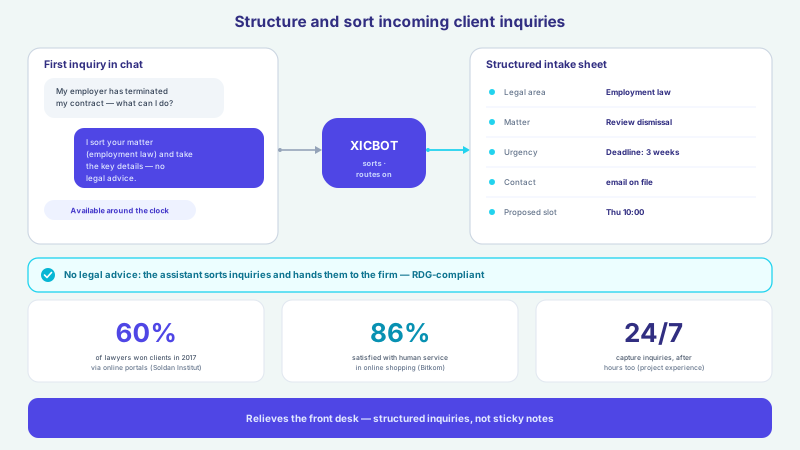
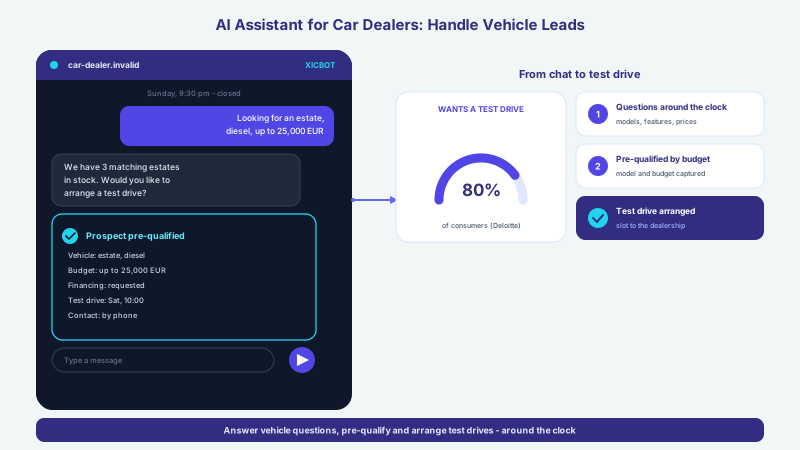
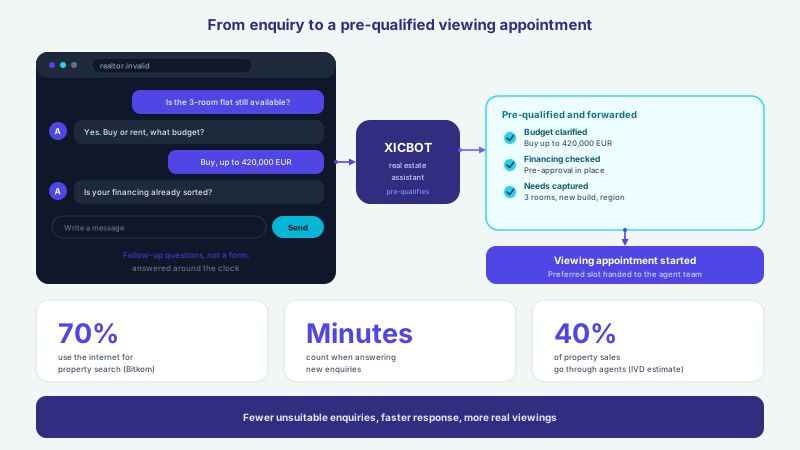
Software and SaaS grow through the number of their users, and with every new user the number of questions grows too: how do I set this up, where is the setting, why does the import not work, how do I change my invoice? At first the team answers such questions on the side. But what works at a hundred users becomes a constant strain at a thousand, and support grows faster than the product. This is exactly where an AI chat assistant helps that sits directly inside the product: it answers onboarding questions and how-tos from your own documentation, catches recurring support cases before they become tickets, and is meant to hand the few complex cases to your team with full context. That self-service is part of the picture for the majority is shown by a broad study: 73 percent (Gartner) of customers use a self-service channel at some point on their resolution journey. The catch: only 14 percent (Gartner) of issues are also fully resolved there. This article shows how an individually trained assistant closes that gap and scales along with user growth, rather than letting the support effort scale instead.
%3C%2Ftext%3E%3Crect%20x%3D'284'%20y%3D'298'%20width%3D'232'%20height%3D'82'%20rx%3D'10'%20fill%3D'%23ffffff'%20stroke%3D'%23e2e8f0'%20stroke-width%3D'1.1'%2F%3E%3Ctext%20x%3D'400'%20y%3D'340'%20font-family%3D'system-ui%2C%20sans-serif'%20font-size%3D'26'%20font-weight%3D'800'%20fill%3D'%230891b2'%20text-anchor%3D'middle'%3E73%25%3C%2Ftext%3E%3Ctext%20x%3D'400'%20y%3D'358'%20font-family%3D'system-ui%2C%20sans-serif'%20font-size%3D'6.8'%20fill%3D'%23475569'%20text-anchor%3D'middle'%3Eof%20customers%20use%20self-service%3C%2Ftext%3E%3Ctext%20x%3D'400'%20y%3D'368'%20font-family%3D'system-ui%2C%20sans-serif'%20font-size%3D'6.8'%20fill%3D'%2364748b'%20text-anchor%3D'middle'%3Ein%20their%20journey%20(Gartner)%3C%2Ftext%3E%3Crect%20x%3D'532'%20y%3D'298'%20width%3D'232'%20height%3D'82'%20rx%3D'10'%20fill%3D'%23ffffff'%20stroke%3D'%23e2e8f0'%20stroke-width%3D'1.1'%2F%3E%3Ctext%20x%3D'648'%20y%3D'340'%20font-family%3D'system-ui%2C%20sans-serif'%20font-size%3D'26'%20font-weight%3D'800'%20fill%3D'%23312e81'%20text-anchor%3D'middle'%3E15%25%3C%2Ftext%3E%3Ctext%20x%3D'648'%20y%3D'358'%20font-family%3D'system-ui%2C%20sans-serif'%20font-size%3D'6.8'%20fill%3D'%23475569'%20text-anchor%3D'middle'%3Emore%20issues%20resolved%20per%20hour%3C%2Ftext%3E%3Ctext%20x%3D'648'%20y%3D'368'%20font-family%3D'system-ui%2C%20sans-serif'%20font-size%3D'6.8'%20fill%3D'%2364748b'%20text-anchor%3D'middle'%3Ewith%20generative%20AI%20(Brynjolfsson%20et%20al.)%3C%2Ftext%3E%3Crect%20x%3D'36'%20y%3D'398'%20width%3D'728'%20height%3D'40'%20rx%3D'10'%20fill%3D'%234f46e5'%2F%3E%3Ctext%20x%3D'400'%20y%3D'421.6'%20font-family%3D'system-ui%2C%20sans-serif'%20font-size%3D'10'%20font-weight%3D'600'%20fill%3D'%23e0e7ff'%20text-anchor%3D'middle'%3ECatch%20onboarding%20questions%2C%20hand%20complex%20cases%20over%20with%20context%3C%2Ftext%3E%3C%2Fsvg%3E)
Labels in the illustration
- How do I set up SSO?
- onboarding question
- How-to
- Create an API key?
- docs question
- Frequent
- Change my invoice?
- complex case
- Escalation
- right inside the app
- XICBOT
- In-app assistant
- reads docs & tools
- Answered straight from the docs
- SSO setup, API key, how-tos in chat
- recurring questions caught
- Complex case handed over with context
- Billing, account and plan in the thread
- Team takes over without re-asking
- Scales with user growth
- Why it matters
- 80%
- of common service issues resolved
- by agentic AI by 2029 (Gartner)
- 73%
- of customers use self-service
- in their journey (Gartner)
- 15%
- more issues resolved per hour
- with generative AI (Brynjolfsson et al.)
- Catch onboarding questions, hand complex cases over with context
Why Self-Service Often Fails at the Gap
Self-service promises a lot: users solve their issue themselves, instantly and without a queue, and the team is relieved. In practice, though, a gap opens between aspiration and outcome. Even for issues users themselves rate as very simple, only 36 percent (Gartner) are fully resolved in self-service. The most common reason for failed self-service is both banal and expensive: in 43 percent (Gartner) of cases, users simply cannot find content that fits their specific problem. The answer is in the documentation, but not where they look, or not in the words the user uses. Those who do not find it switch channels, open a ticket or drop off, and the intended self-service turns into extra work.
Classic help centres and static FAQs assume that the user finds the right page and transfers the answer to their situation. Standard chatbots with rigid decision trees rarely help here: they frequently reach their limits with more complex questions, and the path to a fitting solution becomes tedious for the user. An AI assistant that is bound to your own documentation and knowledge base works differently: it understands the question in the user's language, finds the right place in your content and phrases an answer to exactly that case, instead of pointing to a list of search results. What a robust knowledge base looks like is described on the knowledge base page.
Answer Onboarding Questions Inside the Product
A new user's decisive questions do not arise on the marketing website but in the middle of the product, at the moment of first setup. Those who get stuck on the first import, when creating the first project or setting up SSO quickly lose momentum, and it is exactly this early momentum that often decides whether a trial turns into a paying user. An assistant that sits directly in the application answers these questions where they arise: without switching to a separate help centre, without searching, without waiting. It knows the steps from your documentation and guides the user through the setup instead of pointing to a docs article they would have to assemble themselves.
The value stands or falls on the assistant answering only from your own sources. An assistant that makes things up does more harm than good in onboarding, because a wrong instruction costs trust. That is why an in-product assistant is bound to your documentation, your help articles and your product logic and says openly when it does not know something, instead of guessing. How to safeguard this technically is shown in the article on preventing hallucinations via a knowledge base. The embedding itself happens with a short snippet in your application, as described in the article on embedding the assistant in your website and product.
-
Faster to first success
The assistant guides new users through setup and first steps, without switching to a separate help centre.
-
Answer from the docs
How-tos and settings it answers directly from your documentation, in the language of the given question.
-
In the flow of use
Because it sits in the product, it helps in the moment of need instead of pulling the user out of their workflow.
Catch Recurring Support Cases
A large share of the support volume in software and SaaS consists of the same questions in ever new wording: reset password, invite users, change permissions, start an export, download an invoice. These cases are rarely difficult, but in sum they tie up a considerable part of the team's time, and in practice (from our own projects) it is exactly these recurring questions that make up the largest part of the volume. An assistant that reliably answers them from the documentation catches them before they become tickets. How much routine can be shifted this way is shown by a Gartner forecast: by 2029, agentic AI is expected to resolve around 80 percent (Gartner) of common service issues without human intervention and to cut operational costs in service by about 30 percent (Gartner).
Even where a human stays involved, an assistant changes the picture. In the customer support of a large software company, studied by researchers from Stanford and MIT using data on around 5,000 support agents, the number of issues resolved per hour rose on average by 15 percent (Brynjolfsson et al.) with an assistant based on generative AI, while the average chat duration fell by 8.5 percent (Brynjolfsson et al.) and customer requests to speak to a manager dropped by almost 25 percent (Brynjolfsson et al.). Notably, the effect was largest among less experienced staff, because the assistant provides knowledge that would otherwise only grow over time. For a growing SaaS team that continually onboards new support staff, that is precisely a lever.
- Account and access: reset password, invite users, adjust permissions
- Setup: connect integrations, configure SSO, create an API key
- Billing: download invoice, change payment method, compare plans
- Usage: start import and export, filter data, generate reports
- Product knowledge: which feature solves which problem, where is which setting
Not every question is suited to automation, and the assistant should not force an answer at any price. The scope of features with which it captures, answers and, when needed, forwards support requests is described on the support assistant page; how a team is noticeably relieved by it without closing the human channel is shown in the article on easing support with a 24/7 assistant.
Hand Complex Cases Over With Context
As much as an assistant catches, its limits are just as clear. A suspected bug, an individual billing problem, a data loss or a security-relevant question belong to a human, and promptly at that. What matters is how this handover happens. An assistant that merely shows a contact form at every hurdle only shifts the work. A good assistant hands over with context: it summarises what the user tried and which steps were already taken, and passes along the details relevant to the case. That many people want a human contact for real problems is shown by a representative survey in Germany: among online shoppers, 62 percent (Bitkom) prefer to turn to a human when they have a problem with an order. The assistant does not contradict that; it prepares this contact.
In software and SaaS in particular, context is more than the previous conversation. It is useful which plan the user is on, how long the account has existed, which feature is affected and which error message last appeared. Through clearly permitted, read-only actions in the Custom package the assistant can add such details, so that a complete picture reaches the team instead of a cascade of follow-up questions. When a handover makes sense and how it succeeds cleanly is covered in the article on when the assistant should hand over to humans; which actions the assistant may perform in a controlled way is set out on the tool control page.
A good assistant is not measured by how many cases it closes on its own, but by how cleanly it hands over the one case that needs a human.
Scale With User Growth
The real reason an in-product assistant is interesting for SaaS lies in how it scales. Support effort normally grows linearly with the number of users: twice as many users, roughly twice as many requests, so more staff. An assistant that catches a growing share of the routine decouples the two to a good extent, so the user base can grow without support growing at the same pace. McKinsey puts the potential clearly: in individual industries the volume of human-serviced contacts could be reduced by up to 50 percent (McKinsey), depending on a company's existing level of automation. At the same time, around 75 percent (McKinsey) of the value that the generative AI use cases studied could deliver falls across a few functions, customer service among them.
That software itself is increasingly becoming the carrier of such assistants is emerging in the market forecasts: Gartner expects that by 2028 around 33 percent (Gartner) of enterprise applications will include agentic AI, up from less than 1 percent (Gartner) in 2024. For a SaaS provider this means an integrated assistant is moving from a special case to an expectation. So that it grows with the product, it can be extended with product-specific capabilities, as described on the custom functions page, and from the guided conversations the team continually learns which onboarding hurdles and support topics recur, made visible through conversation analytics.
From cost centre to data asset
Every support conversation contains a signal: an unclear point in onboarding, a feature no one finds, a wording that gets misunderstood. An assistant makes these signals visible at scale instead of letting them evaporate in individual tickets. So support, long seen only as a cost centre, becomes an ongoing feedback loop to product and documentation, from which concrete improvements emerge.
Assistant, Docs or Ticketing System?
An assistant replaces neither your documentation nor your ticketing system; it connects both and closes the gap between them. Well-kept documentation remains the source of truth from which the assistant draws. A ticketing system remains the place where complex cases are handled. The assistant sits in front: it answers what the docs allow, in the language of the question, and only creates a ticket (Custom package) when a human is needed. For providers with an international user base, the same assistant answers questions in several languages from the same sources, as the article on the multilingual assistant for international customers shows. The following comparison places the three routes side by side.
| Aspect | Static docs / ticketing system | In-product AI assistant |
|---|---|---|
| Answer to a specific question | User searches and transfers it | Phrased in the language of the question |
| Onboarding | Article to read up on | Guided in the moment of need |
| Recurring cases | A new ticket every time | Caught before the ticket |
| Availability | Ticket waits to be handled | Around the clock in the product |
| Complex cases | Land unfiltered in the queue | Handed over with context |
| Scaling | Effort grows with the user count | Routine decoupled from growth |
Set It Up Right for Software and SaaS
An assistant that genuinely helps in the product does not come from a generic chatbot on the home page, but from three deliberate decisions. First, the knowledge binding: the assistant answers from your documentation, your help articles and your product logic, not from general world knowledge. Second, the actions: through clearly permitted, controlled functions in the Custom package it can add context in a read-only way or trigger simple steps, as described in the article on function calling and tool control. Third, the limits: what the assistant should not decide, it escalates. The technical embedding into your application happens via a lean snippet, explained under integration.
Because a support chat regularly touches personal data, data protection is not an add-on but part of the basic setup. XICBOT stores this data on servers in Germany, on the basis of a data processing agreement and with a clear deletion policy; the answers are generated by a specialised model provider, also outside the EU on the basis of standard contractual clauses, as the page on data protection and hosting explains. How such an assistant is tailored specifically for software providers is bundled on the assistant for software and SaaS page; an overview of further fields of use is given on the industries page. And where a SaaS product has a self-checkout for subscriptions, the same conversation logic applies there too, for example when the assistant helps to recover abandoned checkouts in chat.
Limits and an Honest Approach
Part of being honest is naming the limits openly. An assistant does not solve every case, and it should not. It can err, which is why it is bound to your sources, is meant to name missing information openly and to hand over sensitive cases. The market, too, calls for sobriety: Gartner expects that more than 40 percent (Gartner) of projects around agentic AI will be cancelled by the end of 2027, due to escalating costs, unclear business value or inadequate risk controls. The flip side is encouraging: projects with a clearly defined purpose, a well-kept knowledge base and clean escalation are less likely to belong to that group. How an individually trained assistant differs from a standard chatbot is set out in the article on a custom assistant versus a standard chatbot.
The direction is nevertheless clear. Gartner expects self-service and live chat to overtake the classic channels as the leading service technologies by 2027. For software and SaaS providers, the assistant in the product is therefore less a question of whether than of how: well scoped, bound to your own content and with clean handover to humans. Which package fits the scope of your product and your user base is set out on the pricing page.
- Answer onboarding questions and how-tos directly in the product, in the moment of need
- Bind answers strictly to documentation and knowledge base instead of phrasing freely
- Catch recurring support cases before they become tickets
- Hand complex cases to the team with plan, account and history as context
- Learn from the conversations which onboarding hurdles and topics recur
- Design in data protection with hosting in Germany and a clear deletion policy from the start
- Start with a clearly defined purpose and extend the assistant along with the product
Frequent questions
What does an AI chat assistant for SaaS do differently from a help centre?
A help centre assumes the user finds the right page and transfers the answer to their situation. That often does not work: even for very simple issues only 36 percent (Gartner) are fully resolved in self-service. The most common reason for failed self-service is that no fitting content is found. An assistant understands the question in the user's language, finds the right place in your documentation and phrases an answer to exactly that case, directly in the product. It does not replace the docs but makes them usable for the specific moment, and hands over to a human when needed.
Does the assistant really answer questions from our documentation?
Yes, that is the core. The assistant is bound to your documentation, your help articles and your product logic and answers from them, not from general world knowledge. If it finds no reliable basis, it says so openly instead of guessing, because a wrong instruction in onboarding costs more trust than a missing answer. How to safeguard this behaviour technically is described in the article on the knowledge base. Quality therefore depends on well-kept, understandable content, which we structure together at the start of the project.
How many support requests can an assistant catch?
That depends heavily on the product, the user base and the quality of your documentation and cannot be assured in general terms. As an order of magnitude, Gartner suggests that by 2029 agentic AI could resolve around 80 percent (Gartner) of common service issues without human intervention. The distinction matters: recurring routine cases such as passwords, invitations or invoices are well suited to being caught, complex or sensitive ones deliberately are not. A realistically set-up assistant targets the routine and hands over the rest instead of forcing a solution.
How does the assistant hand complex cases to our team?
It hands over with context rather than with an empty form. The assistant summarises what the user tried and which steps were already taken, and, in the Custom package, through clearly permitted, read-only actions can add relevant details such as plan, account age or affected feature. So a complete picture reaches the team instead of a cascade of follow-up questions. This matches a widespread wish: among online shoppers, 62 percent (Bitkom) prefer to turn to a human when they have a problem with an order. The assistant prepares this contact instead of replacing it.
Does this scale with our user growth?
That is exactly the point. Support effort normally grows roughly linearly with the number of users; an assistant that catches a growing share of the routine decouples the two to a good extent. McKinsey estimates that generative AI could further reduce the volume of human-serviced contacts by up to 50 percent (McKinsey), depending on a company's existing level of automation. The assistant can also be extended with product-specific capabilities and learns from the conversations which topics recur. So the user base can grow without support growing at the same pace.
Is the processing of the support data GDPR compliant?
Yes. XICBOT stores the data captured in the chat on servers in Germany, on the basis of a data processing agreement and with a clear deletion policy; the answers are generated by a specialised model provider, also outside the EU on the basis of standard contractual clauses. The assistant is meant to ask only for what is needed to handle the request and to point transparently to the purpose. Especially in software and SaaS, where technical and personal data quickly come together in support, this basis is important. Sensitive or complex cases the assistant is meant to hand to a human with context instead of deciding them automatically.
Ask it yourself, Assistant of this website
Automated assistant